
Digital signs are everywhere these days. You see them in shopping malls, airports, stadiums, streets, and offices. They show advertisements, information, or brand messages. But one question many people ask is: what screen resolution should I choose for my digital sign? The right screen resolution affects how clear your content looks and how effective your message is.
This guide explains screen resolution for digital signs in very simple English. It is written to answer the real questions people usually search for, without using complicated terms. It also includes practical advice for indoor and outdoor signs.
What Is Screen Resolution?
Screen resolution refers to the number of pixels displayed on a screen. Pixels are the tiny dots that make up an image. The more pixels a screen has, the sharper and clearer the image appears.
Resolution is usually written as width × height. For example, 1920×1080 pixels means the screen has 1920 pixels horizontally and 1080 pixels vertically.
Higher resolution means better detail, but it also affects cost and hardware requirements.
Why Screen Resolution Matters for Digital Signs
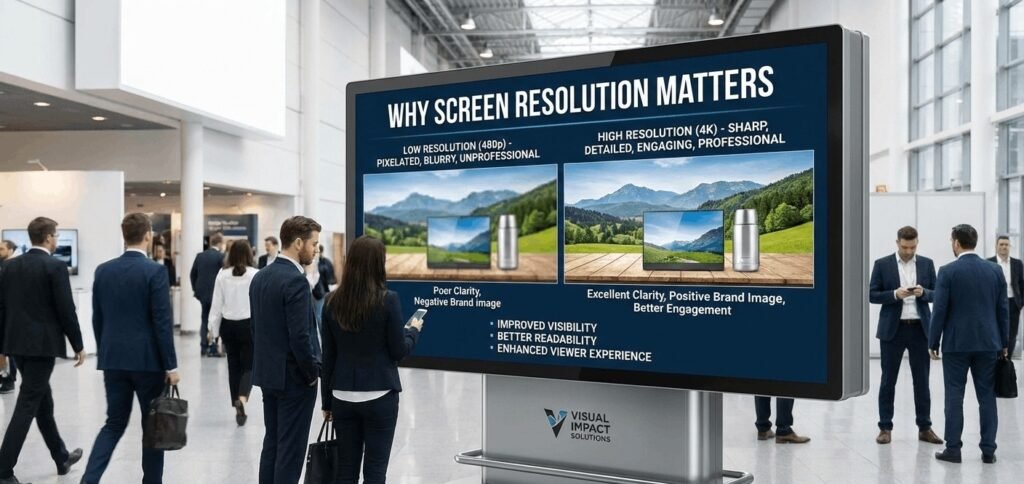
Screen resolution is very important because it affects:
- Clarity: Higher resolution makes text, images, and videos easier to read.
- Impact: Clear visuals attract more attention.
- Distance Viewing: Low-resolution screens can look blurry when viewed up close.
- Brand Image: Poor quality signage can harm your brand reputation.
Choosing the right resolution ensures that your message is seen clearly by your audience.
Types of Digital Signs
Digital signs come in different types, and each type may require a different resolution.
Indoor Digital Signs
Indoor signs are used in malls, offices, hospitals, and exhibition halls. People often view them from a short distance. Therefore, these signs need high resolution so that small text and details are clear.
Examples of indoor signs:
- Information displays
- Wayfinding screens
- Retail advertising
Outdoor Digital Signs
Outdoor digital signs are usually placed on streets, stadiums, and building facades. People view them from far away. Because of this, these screens do not need as high resolution as indoor signs.
Examples of outdoor signs:
- Billboards
- Outdoor LED displays
- Street advertising
A good example of outdoor signage can be found in signage Abu Dhabi, where LED screens for advertising are placed for maximum visibility.
Pixel Pitch Explained
Pixel pitch is the distance between two pixels on a screen, measured in millimeters. Smaller pixel pitch means pixels are closer together, giving higher resolution and sharper images.
- Small pixel pitch (1-4 mm): Best for indoor signs where people view screens up close.
- Large pixel pitch (5-20 mm): Best for outdoor signs where viewers are far away.
Choosing the right pixel pitch ensures your content looks sharp at the intended viewing distance.
Viewing Distance and Resolution
The distance from which people view the sign is key when choosing resolution. A simple rule:
- Close distance (1-5 meters): High resolution, small pixel pitch
- Medium distance (5-15 meters): Medium resolution, medium pixel pitch
- Far distance (15+ meters): Lower resolution, large pixel pitch is enough
This helps avoid unnecessary cost by not over-specifying resolution for outdoor signs.
LED Screens vs LCD Screens
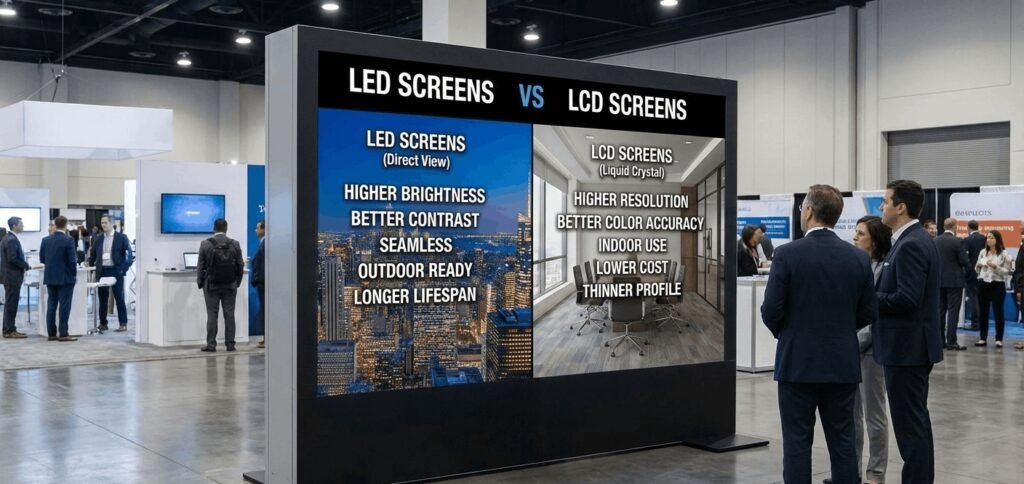
Digital signs are mainly built using LED screens for advertising outdoor or LCD digital screens. Both have different characteristics:
LED Screens
- Suitable for large displays
- Works well outdoors with high brightness
- Modular, allowing flexible sizes
- Long-lasting and energy-efficient
- Requires careful resolution planning to match pixel pitch and viewing distance
LCD Screens
- Usually smaller
- Best for indoor use
- High resolution even at short distances
- Limited size and brightness
- Not ideal for large outdoor advertising
For large outdoor campaigns, LED screens are preferred, while LCD screens are ideal for indoor use.
Content Type and Resolution
The type of content you display also affects resolution choice:
- Text-heavy content: High resolution needed for readability
- Images and photos: Medium to high resolution depending on detail
- Videos: Must match the resolution of the source content to avoid blurring
Planning content beforehand helps choose the right screen and pixel pitch.
Screen Orientation and Shape
Digital signs come in different shapes and orientations. These also affect resolution:
- Portrait vs Landscape: Ensure resolution matches the content layout
- Curved or flexible screens: Resolution planning is more complex to maintain clarity across the surface
- Custom shapes: Flexible screens allow unique designs, but resolution must be calculated carefully
Using a flexible LED screen display allows creative shapes while maintaining visual quality.
Brightness and Outdoor Visibility
Outdoor screens must be bright enough to compete with sunlight. High brightness can make colors look washed out if the resolution is too low. Choosing both the right resolution and brightness ensures maximum visibility.
Outdoor LED screens often have high refresh rates to avoid flickering and motion blur.
Cost vs Resolution
Higher resolution screens cost more. Factors that affect cost include:
- Pixel pitch
- Screen size
- Type of LED modules or LCD panels
- Installation complexity
- Control systems
Choosing the optimal resolution for viewing distance avoids overspending while maintaining quality.
Indoor Resolution Guidelines
Indoor digital signs usually require:
- Pixel pitch: 1.2 mm – 4 mm
- Viewing distance: 1 – 5 meters
- Resolution: High enough to read small text and detailed graphics
Typical uses:
- Retail displays
- Office communication boards
- Conference screens
High resolution indoors gives a premium, professional look.
Outdoor Resolution Guidelines
Outdoor signs usually require:
- Pixel pitch: 5 mm – 20 mm
- Viewing distance: 10 – 50+ meters
- Resolution: Medium, enough for clarity at long distance
Typical uses:
- Street advertising
- Stadium screens
- Public information boards
This ensures the content is legible from far away while saving cost.
Modular and Scalable Screens
Many modern digital signs are modular. You can combine multiple panels to create large screens. Resolution is important when scaling:
- Ensure seamless joining of panels
- Maintain consistent pixel pitch
- Avoid uneven brightness or dead zones
This is critical for LED screens for advertising outdoor, where large-scale visibility is required.
Software and Control Systems
Digital signs require software to manage content and resolution:
- Schedule content for different times
- Adjust resolution and scaling
- Monitor screen health and brightness
Good control software ensures that high-resolution content looks sharp and plays smoothly.
Common Mistakes to Avoid
- Using low-resolution screens for close viewing
- Ignoring pixel pitch vs viewing distance
- Not considering screen brightness for outdoor use
- Choosing a resolution without planning content type
- Over-spending on unnecessarily high resolution for long-distance signs
Avoiding these mistakes saves money and improves user experience.
Case Study: Retail and Advertising
For a shopping mall display:
- Indoor sign: Pixel pitch 2 mm, 1080p resolution, viewing distance 3 meters
- Outdoor billboard: Pixel pitch 10 mm, 4K resolution over large area, viewing distance 25 meters
This approach ensures clarity for both close and far viewers. Brands in signage Abu Dhabi use these calculations for optimal visibility.
Future Trends in Screen Resolution
Digital signs are moving towards:
- Higher resolution screens at lower cost
- Flexible and curved LED screens
- Ultra-high-definition for indoor displays
- Smart screens with AI content adaptation
These trends help businesses deliver more engaging and interactive visual experiences.
Final Thoughts
Choosing the right screen resolution for digital signs is critical. It affects clarity, visibility, and user experience. Key factors include:
- Viewing distance
- Indoor vs outdoor placement
- Pixel pitch
- Content type
- Screen size and shape
- Brightness and environmental conditions
Balancing resolution and cost ensures maximum impact without overspending. Combining modern technology like flexible LED screen display and understanding differences with LCD digital screen display options helps businesses create effective and eye-catching digital signage for advertising and communication.