
Choosing the right screen size sounds easy, but in real life, many people get it wrong. I have seen screens that are too small to read and others that are so big they feel uncomfortable. Screen size directly affects visibility, comfort, and results, whether the screen is used for advertising, information, or self-service.
This guide is written in very easy English and based on real situations. It answers the same questions people usually have when they feel confused about screen size. The goal is to help you choose the right screen size without wasting money or space.
Why Screen Size Matters More Than You Think
Screen size is not just about looks. It affects how people interact with your content.
A screen that is too small:
- Is hard to read
- Gets ignored
- Looks cheap
A screen that is too large:
- Feels overwhelming
- Causes eye strain
- Wastes budget
The right screen size creates balance. It feels natural in the space and delivers the message clearly.
Screen Size vs Screen Resolution
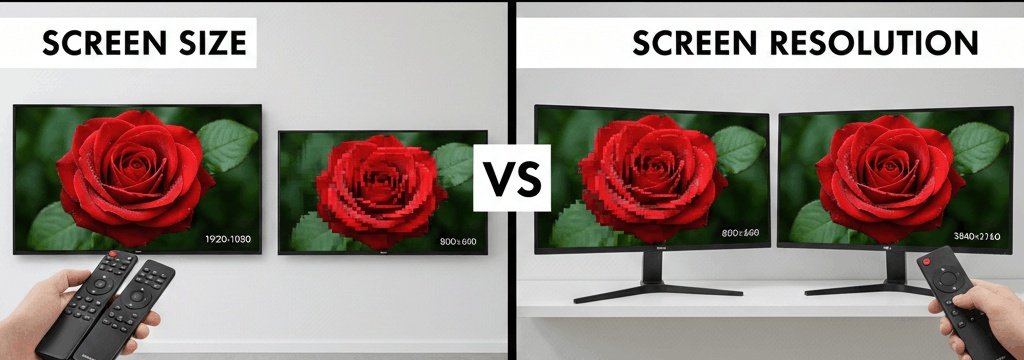
Many people confuse screen size with resolution. They are not the same.
- Screen size is the physical size, usually measured in inches
- Resolution is how clear the image is
A large screen with low resolution can look blurry. A small screen with high resolution can look very sharp. You need the right mix of both.
Viewing Distance Is the First Thing to Consider
From real experience, the biggest mistake is ignoring viewing distance.
Ask yourself:
- How far will people stand from the screen?
- Will they walk past or stop and look?
Simple Rule:
- Close distance = smaller screen
- Far distance = larger screen
If people cannot read the content in 3–5 seconds, the screen size is wrong.
Indoor Screen Size Selection
Indoor screens are usually viewed from a short distance. This means you do not always need a very large screen.
Common Indoor Locations:
- Shops
- Offices
- Reception areas
- Waiting rooms
Recommended Approach:
- 32–43 inch: Small rooms, desks, kiosks
- 49–55 inch: Shops, receptions
- 65–75 inch: Meeting rooms, large halls
Indoor screens should feel comfortable, not dominant.
Outdoor Screen Size Selection
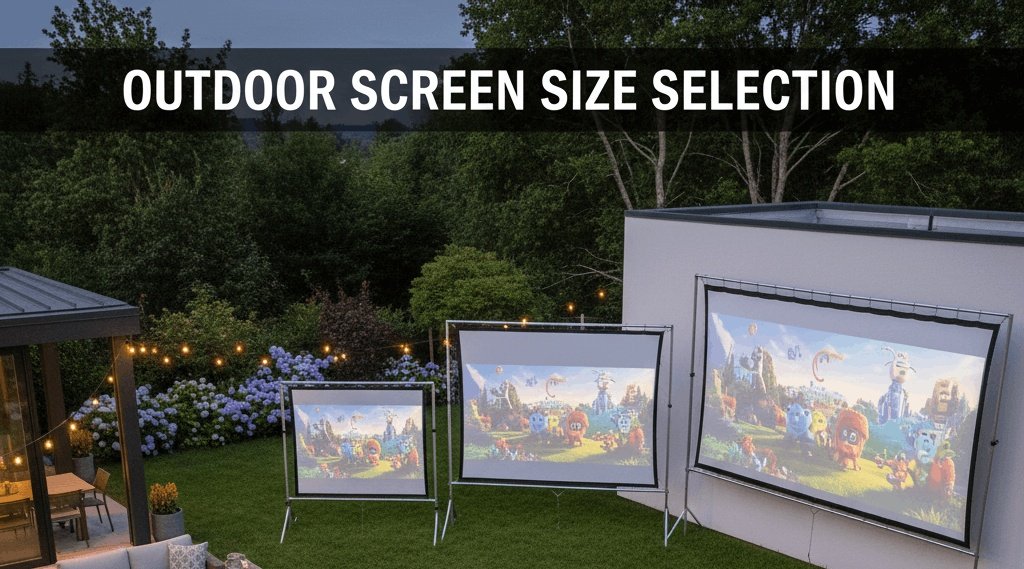
Outdoor screens need more attention. People view them from far away and often while moving.
This is where outdoor Led signage sizes become very important.
Outdoor Screen Size Tips:
- Bigger is better for visibility
- Content must be readable from a distance
- Height and angle matter as much as size
Outdoor LED screens are usually custom-sized based on location and traffic flow.
Screen Size for Advertising
Advertising screens must grab attention fast.
From real projects, I learned that:
- Small ads get ignored
- Oversized ads feel aggressive
Best Practice:
- Match screen size with message length
- Short ads can use medium screens
- Brand videos need larger screens
Screen size should support the story, not fight it.
Screen Size for Information Display
Information screens are used for directions, schedules, or notices.
Key Points:
- Text must be readable
- Icons should be clear
- Screen should be visible without effort
Medium-sized screens work best for information displays.
Screen Size for Self-Service Systems
Self-service screens need special attention.
A LCD Self Service Kiosk screen must be:
- Easy to reach
- Comfortable to touch
- Clear at close distance
Ideal Sizes:
- 21–27 inch for standing kiosks
- 15–21 inch for compact kiosks
Too large makes interaction awkward. Too small makes it frustrating.
Screen Orientation and Its Impact
Screen size feels different based on orientation.
- Landscape screens feel wider
- Portrait screens feel taller
Portrait screens often look bigger even when inches are the same. Always consider orientation when choosing size.
Content Type Affects Screen Size
Different content needs different screen sizes.
Text Content:
- Needs clear reading distance
- Medium to large screens work best
Video Content:
- Benefits from larger screens
- More immersive experience
Mixed Content:
- Needs balanced size
- Avoid clutter
Plan content before finalizing screen size.
Space and Environment Matters
The room or area plays a big role.
Ask these questions:
- Is the space narrow or wide?
- Is the ceiling low or high?
- Is there natural light?
A large screen in a small space feels uncomfortable. A small screen in a big space feels lost.
Mounting Height and Angle
Even the perfect screen size fails if mounted wrong.
Good Practices:
- Screen center near eye level
- Tilt slightly if mounted high
- Avoid glare from lights or windows
Mounting affects how big the screen feels.
Budget and Screen Size Balance
Bigger screens cost more, not just to buy but also to install and maintain.
From experience, many people overspend on size instead of quality.
Smart Approach:
- Choose the smallest size that works well
- Invest in better resolution and brightness
Quality beats size every time.
Common Screen Size Mistakes
Here are mistakes I see often:
- Choosing size based on price, not need
- Copying what others do
- Ignoring viewing distance
- Forgetting content design
Avoiding these mistakes saves money and stress.
Real Example: Retail Store
A retail store wanted a large screen near the entrance. After testing, a 55-inch screen worked better than a 75-inch screen. Customers could see it clearly without feeling blocked.
This simple change improved engagement.
Real Example: Outdoor Advertising
For an outdoor location, a small LED screen was not visible from the road. Increasing the size improved visibility and message recall.
Correct outdoor Led signage sizes made a real difference.
Future Trends in Screen Sizes
Screens are becoming:
- Thinner
- Lighter
- More flexible
This allows bigger screens in smaller spaces and more creative layouts.
Final Thoughts
Choosing the right screen size is about people, not technology.
Always think about:
- Viewing distance
- Space
- Content type
- Purpose of the screen
Whether it is indoor displays, outdoor advertising, or a LCD Self Service Kiosk, the right screen size makes everything easier to see, easier to use, and more effective.
When screen size is chosen correctly, the screen does not just look good. It works.