Introduction
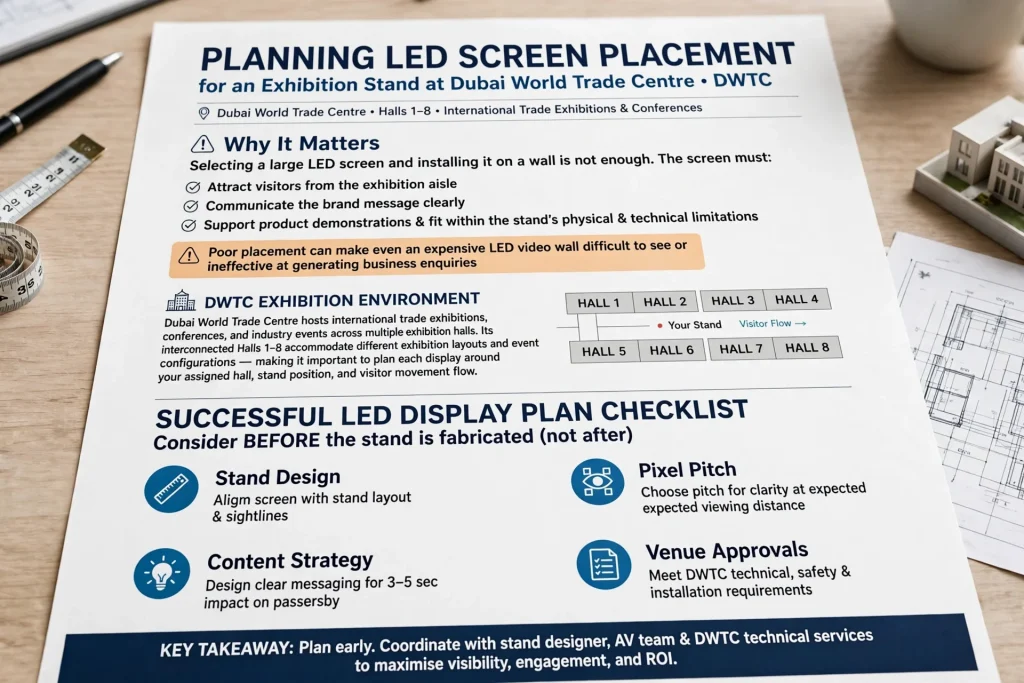
Planning LED screen placement for an exhibition stand at Dubai World Trade Centre (DWTC) requires more than selecting a large display and installing it on a wall. The screen must attract visitors from the exhibition aisle, communicate the brand message clearly, support product demonstrations and fit within the stand’s physical and technical limitations. Poor placement can make even an expensive LED video wall difficult to see or ineffective at generating business enquiries.
Dubai World Trade Centre hosts international trade exhibitions, conferences and industry events across multiple exhibition halls. Its interconnected Halls 1–8 accommodate different exhibition layouts and event configurations, making it important to plan each display around the assigned hall, stand position and visitor movement.
For exhibitors preparing for events in Dubai, a successful LED display plan combines stand design, viewing distance, pixel pitch, content strategy, lighting, electrical requirements and venue approvals. These factors should be considered before the stand is fabricated, rather than after the structure has been built.
1. Understand Your Exhibition Stand Location at DWTC
The first step is to understand the exact location and configuration of your exhibition stand. A stand positioned at the end of an aisle has different visibility opportunities from one surrounded by neighbouring exhibitors. Similarly, a corner stand may allow visitors to see a screen from two directions, while an island stand can potentially attract attention from several sides.
Before deciding where to install an LED display, obtain the stand plan, dimensions, approved height restrictions and information about nearby structures. Identify the main visitor approaches, aisle intersections, entrances and any permanent venue features that may obstruct the screen.
Dubai World Trade Centre includes halls with different layouts and ceiling heights. For example, the published venue information lists different ceiling heights across Halls 1–8, so exhibitors should not assume that every hall offers identical installation conditions. Confirm the current specifications for your assigned location before finalising the design.
The objective is to position the screen where visitors can notice it naturally while walking through the exhibition. A display hidden behind a reception desk or facing away from the principal aisle may receive less attention, regardless of its resolution or brightness.
2. Define the Purpose of the LED Screen Before Designing the Stand
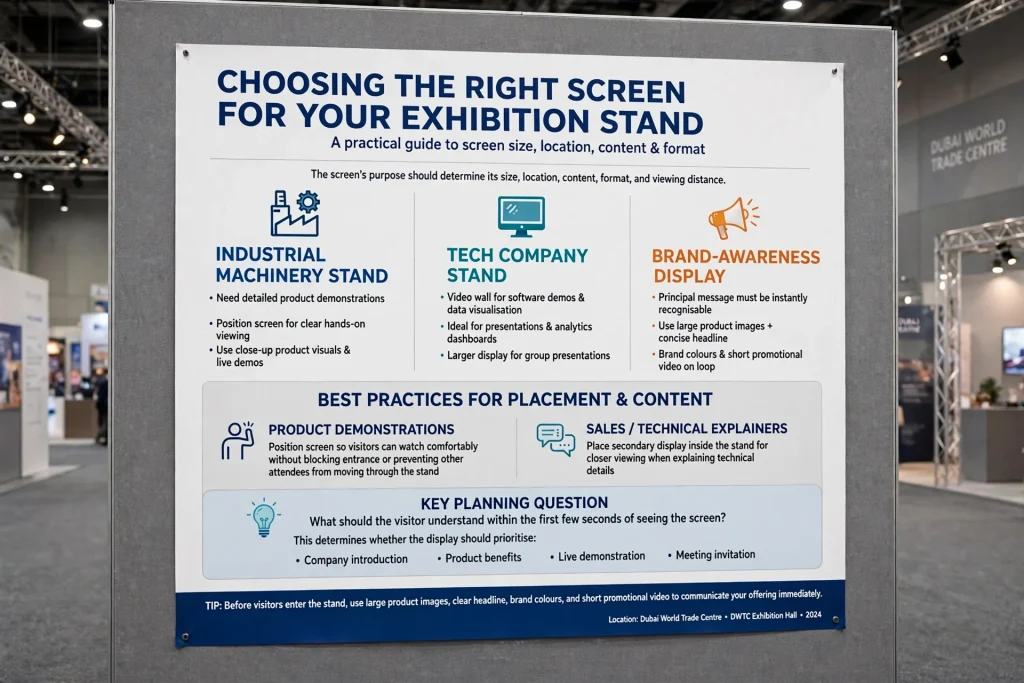
The screen’s purpose should determine its size, location, content format and viewing distance. An exhibition stand promoting industrial machinery may need detailed product demonstrations, whereas a technology company may require a video wall for software demonstrations, data visualisation and presentations.
A brand-awareness display generally works best when its principal message is immediately recognisable. Large product images, concise headlines, brand colours and short promotional videos can communicate the offering before visitors enter the stand.
For product demonstrations, the screen should be positioned so that visitors can watch comfortably without blocking the entrance or preventing other attendees from moving through the stand. If sales staff need to explain technical information, consider placing a secondary display inside the stand for closer viewing.
A useful planning question is: what should a visitor understand within the first few seconds of seeing the screen? The answer helps determine whether the display should prioritise a company introduction, product benefits, a live demonstration, a promotional offer or a meeting invitation.
3. Choose the Right LED Screen Size for Your Booth
Screen size should be based on stand dimensions, audience distance, viewing angles and the amount of content displayed. Installing the largest available screen is not always the best decision. An oversized display can dominate a small stand, compete with other branding and leave insufficient space for conversations or product demonstrations.
For a compact exhibition booth, a single LED screen integrated into the rear wall may provide enough visibility. Medium-sized stands can use a larger central display with supporting product graphics. Larger island stands may benefit from multiple displays, provided that each screen has a clear role and the overall design remains coherent.
Consider the screen’s physical dimensions during the initial 3D stand design. Check how its width and height relate to the branding fascia, product shelves, reception counter, meeting area and neighbouring structures. Leave appropriate clearance for mounting hardware, ventilation and access for maintenance.
The final screen size should also match the content. A display designed primarily for large promotional visuals may not need the same configuration as one intended for spreadsheets, detailed diagrams or small technical labels.
4. Select the Correct Pixel Pitch and Resolution
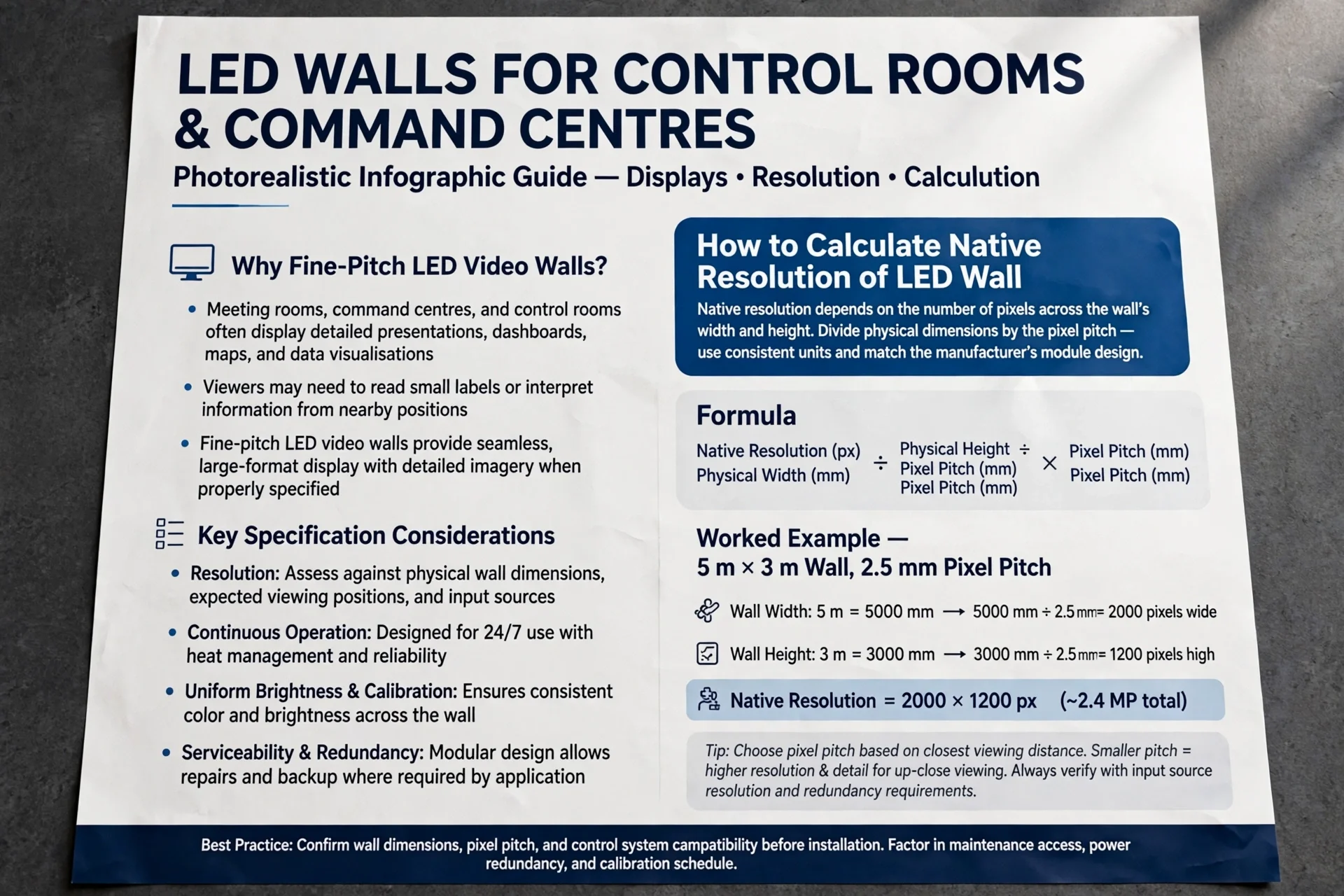
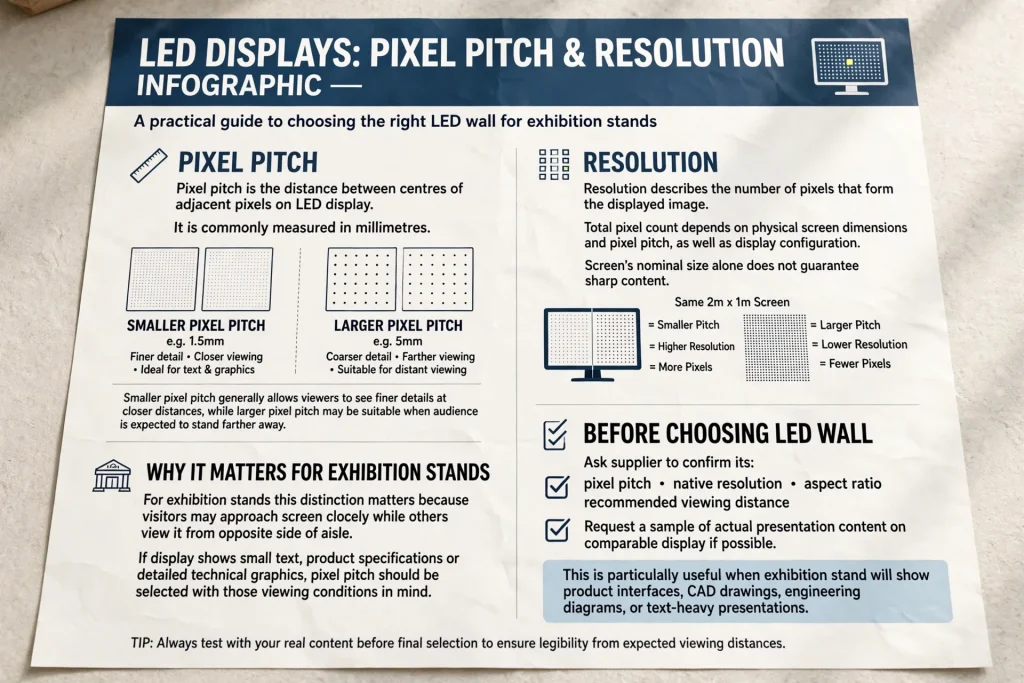
Pixel pitch is the distance between the centres of adjacent pixels on an LED display. It is commonly measured in millimetres. A smaller pixel pitch generally allows viewers to see finer details at closer distances, while a larger pixel pitch may be suitable when the audience is expected to stand farther away.
For exhibition stands, this distinction matters because visitors may approach the screen closely while others view it from the opposite side of the aisle. If the display shows small text, product specifications or detailed technical graphics, pixel pitch should be selected with those viewing conditions in mind.
Resolution describes the number of pixels that form the displayed image. The total pixel count depends on the physical screen dimensions and pixel pitch, as well as the display configuration. A screen’s nominal size alone does not guarantee sharp content.
Before choosing an LED wall, ask the supplier to confirm its pixel pitch, native resolution, aspect ratio and recommended viewing distance. Request a sample of the actual presentation content on a comparable display if possible. This is particularly useful when your exhibition stand will show product interfaces, CAD drawings, engineering diagrams or text-heavy presentations.
5. Calculate Viewing Distance and Viewing Angles
Viewing distance is one of the most important factors in LED screen placement. Visitors should be able to recognise the message from the aisle and view detailed content comfortably when they approach the stand.
A practical planning method is to identify three viewing zones. The first is the long-distance approach, where the screen must attract attention through its main message and visual impact. The second is the normal aisle viewing zone, where visitors should understand the promotional content without stopping immediately in front of the stand. The third is the close viewing zone, where interested attendees may examine product demonstrations or technical information.
The suitable pixel pitch depends on the screen specification, content and viewing conditions. Any simplified pixel-pitch-to-distance formula should be treated as an initial estimate rather than a universal technical rule. A physical viewing test is more reliable when the display contains fine text or detailed graphics.
Viewing angles also matter. Screens positioned perpendicular to the main aisle may offer excellent visibility from one direction but reduced visibility from side approaches. On corner or island stands, angled screens or carefully planned secondary displays can improve coverage.
Avoid creating unnecessary glare from nearby exhibition lighting. Review the display from different positions and heights, including seated viewing positions if the stand contains meeting areas.
6. Position the Screen for Maximum Visitor Visibility
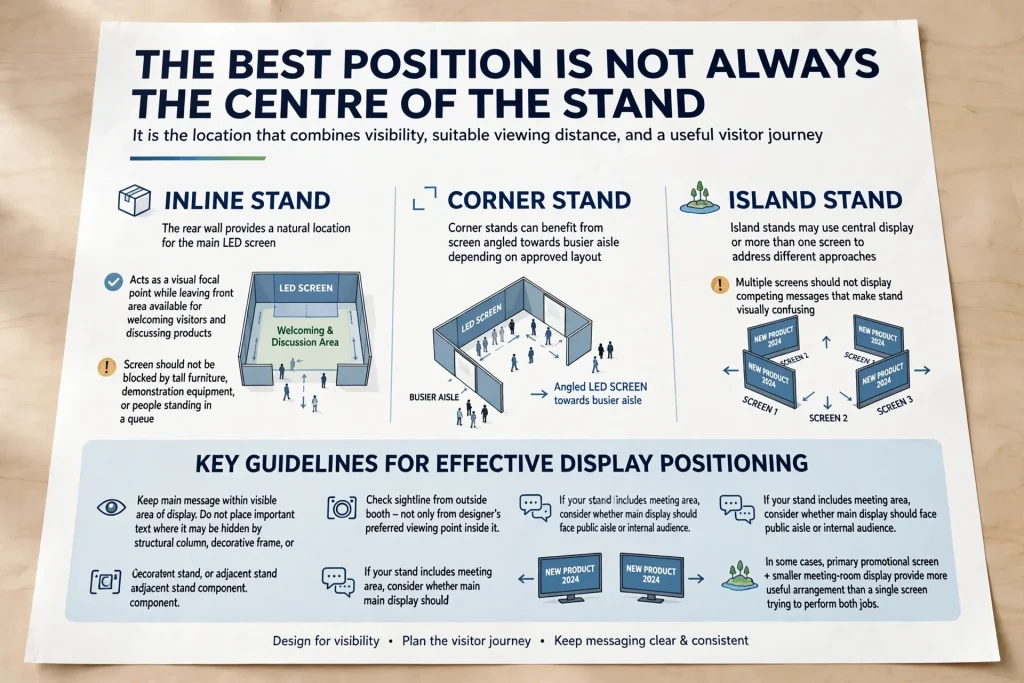
The best position is not always the centre of the stand. It is the location that combines visibility, suitable viewing distance and a useful visitor journey.
For many inline stands, the rear wall provides a natural location for the main LED screen. It can act as a visual focal point while leaving the front area available for welcoming visitors and discussing products. However, the screen should not be blocked by tall furniture, demonstration equipment or people standing in a queue.
Corner stands can benefit from a screen angled towards the busier aisle, depending on the approved layout. Island stands may use a central display or more than one screen to address different approaches. Multiple screens should not display competing messages that make the stand visually confusing.
Keep the main message within the visible area of the display. Do not place important text where it may be hidden by a structural column, decorative frame or adjacent stand component. Check the sightline from outside the booth, not only from the designer’s preferred viewing point inside it.
If your stand includes a meeting area, consider whether the main display should face the public aisle or the internal audience. In some cases, a primary promotional screen and a smaller meeting-room display provide a more useful arrangement than a single screen trying to perform both jobs.
7. Integrate the LED Screen with the Exhibition Stand Design
LED screens should be included in the stand design from the beginning. Adding a display after the fabrication drawings have been approved can create problems with mounting points, cable routing, access panels, ventilation and available power.
The screen should work with the exhibition stand’s visual identity. Coordinate the display with the brand logo, printed graphics, lighting, product showcases and reception counter. Use a consistent colour palette and keep the screen’s surrounding design clean enough to avoid distracting from its content.
A flush-mounted display can create a seamless appearance when the structure is designed for it. A framed display may be more practical for some modular stands or rental installations. In either case, the mounting structure must be appropriate for the equipment’s weight and installation method.
Consider service access before concealing cables or mounting hardware. Technicians may need access to receiving cards, power supplies, connections or other components during setup and operation. Adequate ventilation is also important for reliable operation throughout a busy exhibition day.
If the screen is suspended above the stand, do not treat it as an ordinary wall-mounted display. Overhead rigging requires separate planning and coordination with the venue’s authorised service provider.
8. Plan Power, Cabling and Technical Connections
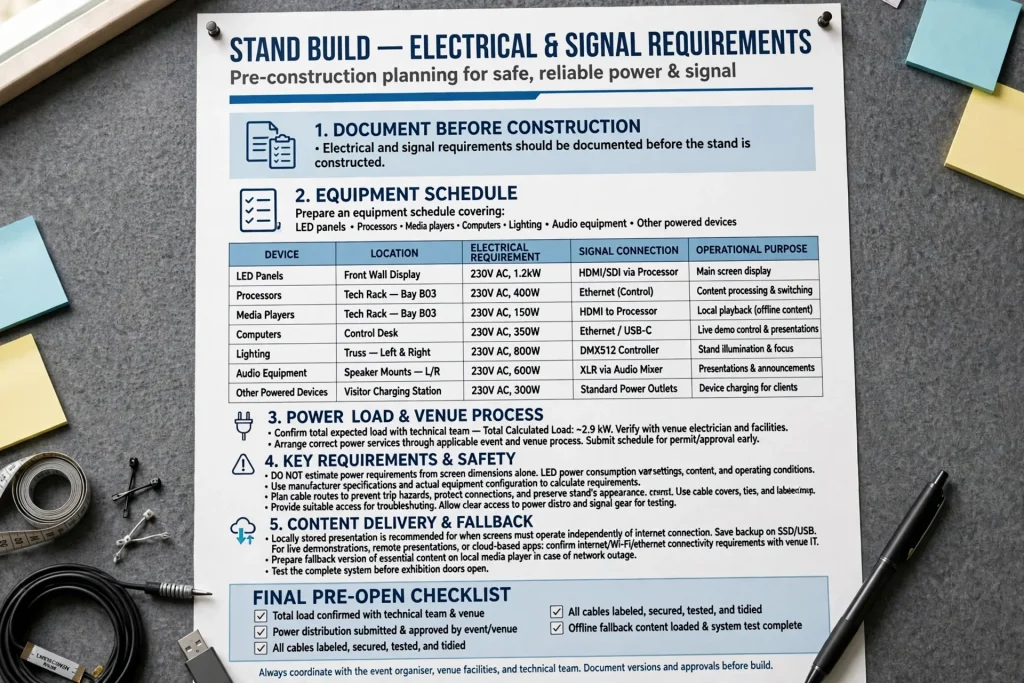
Electrical and signal requirements should be documented before the stand is constructed. Prepare an equipment schedule covering LED panels, processors, media players, computers, lighting, audio equipment and other powered devices.
The schedule should identify each device’s location, electrical requirement, signal connection and operational purpose. Confirm the total expected load with the technical team and arrange the correct power services through the applicable event and venue process.
Do not estimate power requirements from screen dimensions alone. LED power consumption varies with the equipment, brightness settings, content and operating conditions. Use manufacturer specifications and the actual equipment configuration to calculate requirements.
Cable routes should be planned to prevent trip hazards, protect connections and preserve the stand’s appearance. Keep signal and power connections organised, provide suitable access for troubleshooting and test the complete system before the exhibition opens.
Also consider how content will be delivered. A locally stored presentation can be useful when the screen must operate independently of an internet connection. For live demonstrations, remote presentations or cloud-based applications, confirm connectivity requirements and prepare a fallback version of essential content.
9. Follow DWTC Rigging and Safety Requirements
Safety and venue compliance are essential parts of LED screen planning. The applicable requirements may depend on the event organiser, stand type, screen position, mounting method and complexity of the structure.
Dubai World Trade Centre states that DXB Live is the sole provider of primary overhead rigging at the venue. Exhibitors planning suspended LED screens, overhead structures or hanging signage should coordinate through their stand contractor and the authorised venue process. Approved equipment and qualified personnel are required for rigging work.
Do not assume that a screen can be attached to a ceiling, truss or neighbouring structure without approval. Confirm the permitted mounting method, structural calculations where required, approved heights and relevant submission deadlines with the organiser and venue.
The screen and its supporting structure must be stable, and electrical installations should be completed by suitably qualified personnel. Cable routing, equipment access and the location of control devices should also be considered in the safety plan.
Maintain clear access routes around the stand and avoid placing equipment where it interferes with neighbouring exhibitors, emergency routes or venue operations. Always check the current event-specific exhibitor manual, since requirements and deadlines can differ between events.
10. Create Content That Works on an Exhibition LED Screen
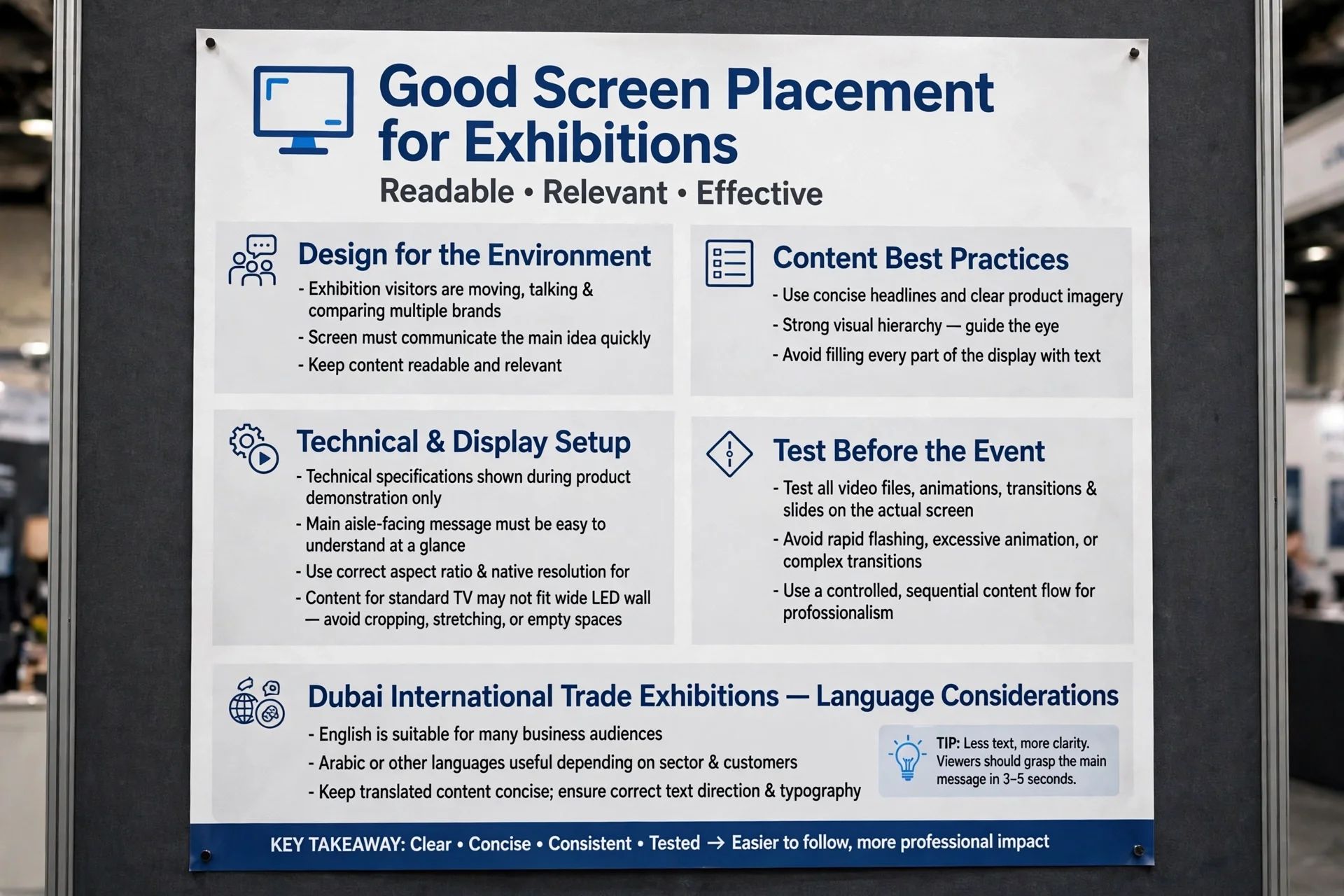
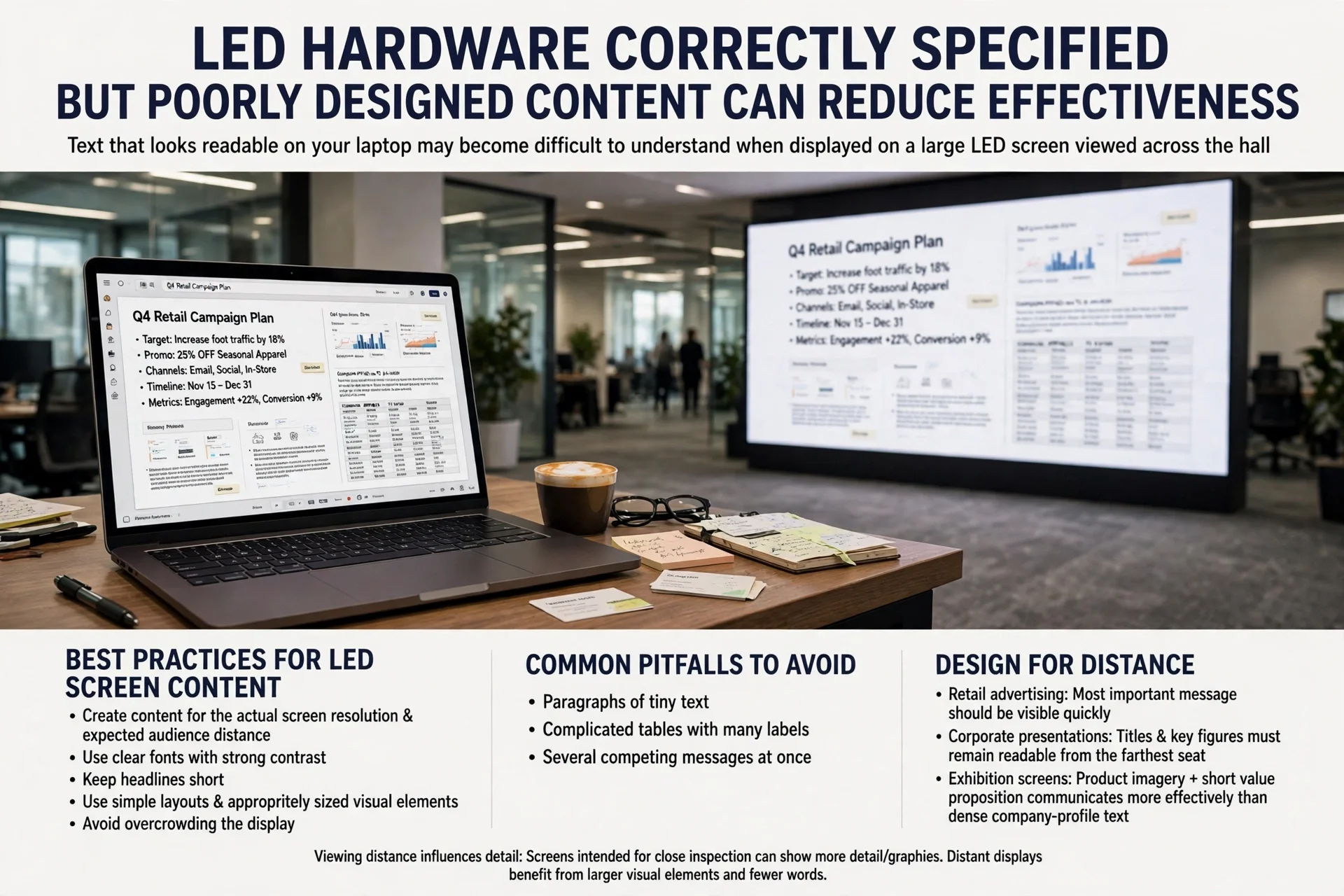
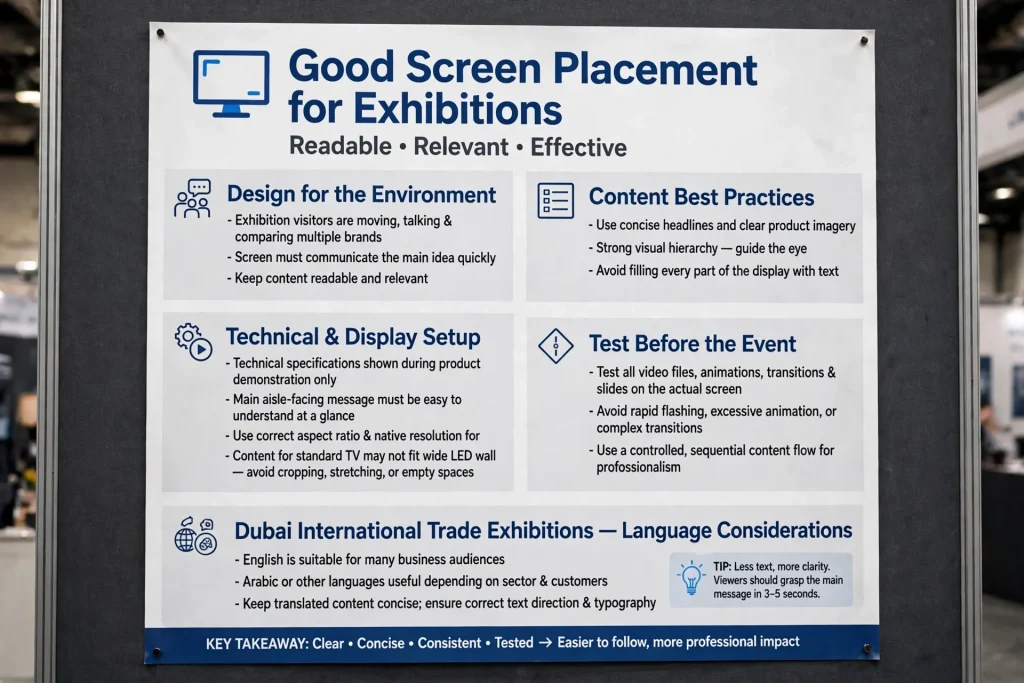
Good screen placement is only effective when the content is readable and relevant. Exhibition visitors are moving, talking and comparing multiple brands, so a screen must communicate its main idea quickly.
Use concise headlines, clear product imagery and strong visual hierarchy. Avoid filling every part of the display with text. Technical specifications can be shown during a product demonstration, while the main aisle-facing message should remain easy to understand at a glance.
Use the correct aspect ratio and native resolution for the display. Content prepared for a standard television may not fit a wide LED wall without cropping, stretching or empty spaces. Test all video files, animations, transitions and presentation slides on the actual screen configuration before delivery.
For international trade exhibitions in Dubai, consider the audience’s language requirements. English may be suitable for many business audiences, while Arabic or other languages may be useful depending on the sector and target customers. Keep translated content concise and check that text direction and typography display correctly.
Avoid rapid flashing, excessive animation and unnecessarily complex transitions. A controlled content sequence is usually easier to follow and helps maintain a professional appearance throughout the event.
11. Adjust Brightness, Contrast and Exhibition Lighting
LED screens must remain visible under the exhibition hall’s lighting conditions without becoming uncomfortable to view. The appropriate brightness setting depends on ambient light, screen technology, viewing distance and the surrounding stand design.
A display that appears bright in a dark workshop may look different under the lighting used inside an exhibition hall. Conversely, excessive brightness can make white areas harsh, reduce visual comfort and compete with the stand’s other elements.
Test the screen in the actual environment during setup whenever possible. Check colour reproduction, black levels, text visibility and contrast using the content that will be displayed during the event.
Coordinate the screen with spotlights, illuminated graphics and product lighting. Direct light falling onto the display can reduce perceived contrast, while competing lighting effects can distract visitors from the main message.
Set up the display so that the screen remains clear from the primary viewing positions. Make a final brightness adjustment after the surrounding stand lighting has been switched on.
12. Plan LED Screen Placement for Different Types of Exhibitors
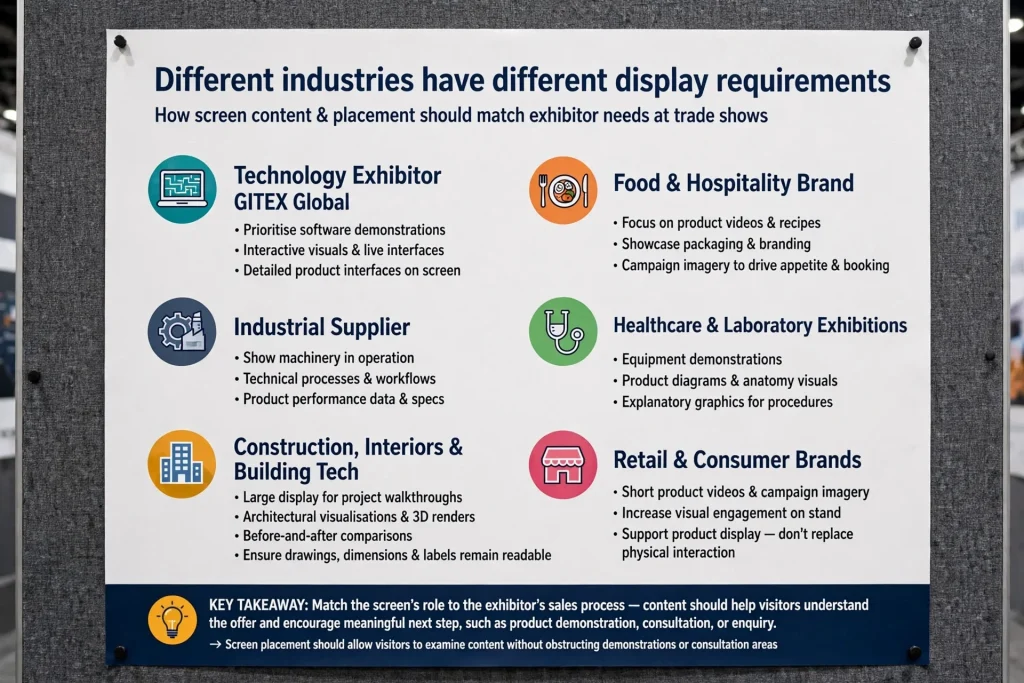
Different industries have different display requirements. A technology exhibitor at GITEX Global may prioritise software demonstrations, interactive visuals and detailed product interfaces. A food and hospitality brand may focus on product videos, packaging and campaign imagery. An industrial supplier may need to show machinery, technical processes and product performance.
For healthcare and laboratory exhibitions, content may include equipment demonstrations, product diagrams and explanatory graphics. In these cases, screen placement should allow interested visitors to examine the content without obstructing demonstrations or consultation areas.
For construction, interiors and building technology exhibitors, a large display can show project walkthroughs, architectural visualisations and before-and-after comparisons. The content should be sized appropriately so that drawings, dimensions and labels remain readable.
For retail and consumer brands, short product videos and campaign imagery can make the stand more visually engaging. However, the screen should support the product display rather than replace physical product interaction where that interaction is important to the buying decision.
The key is to match the screen’s role to the exhibitor’s sales process. The display should help visitors understand the offer and encourage a meaningful next step, such as a product demonstration, consultation or enquiry.
13. Use LED Screen Placement to Support Lead Generation
An exhibition screen should contribute to a business objective rather than serve only as decoration. Decide what action you want visitors to take after viewing the content.
A B2B exhibitor may use a display to introduce a product range and direct visitors to a demonstration. A supplier may present a short case study, a product comparison or a new service. A company launching a product may use the screen to communicate the key benefits and invite visitors to speak with a representative.
Calls to action should be visible but not overwhelming. A QR code can link to a product catalogue, technical datasheet or enquiry form, provided it is large enough to scan from the intended distance. Test the code using different phones and ensure the destination page loads correctly on mobile devices.
Measure performance where practical. Track QR code visits, demonstration requests, qualified leads and conversations influenced by the display. Staff can also record which content generates the most questions.
These measurements help determine whether the screen’s position and content were effective. After the event, review the results before deciding whether to repeat the same arrangement or adjust screen size, viewing angle and messaging for the next exhibition.
14. Work with an Experienced LED Screen Placement Supplier
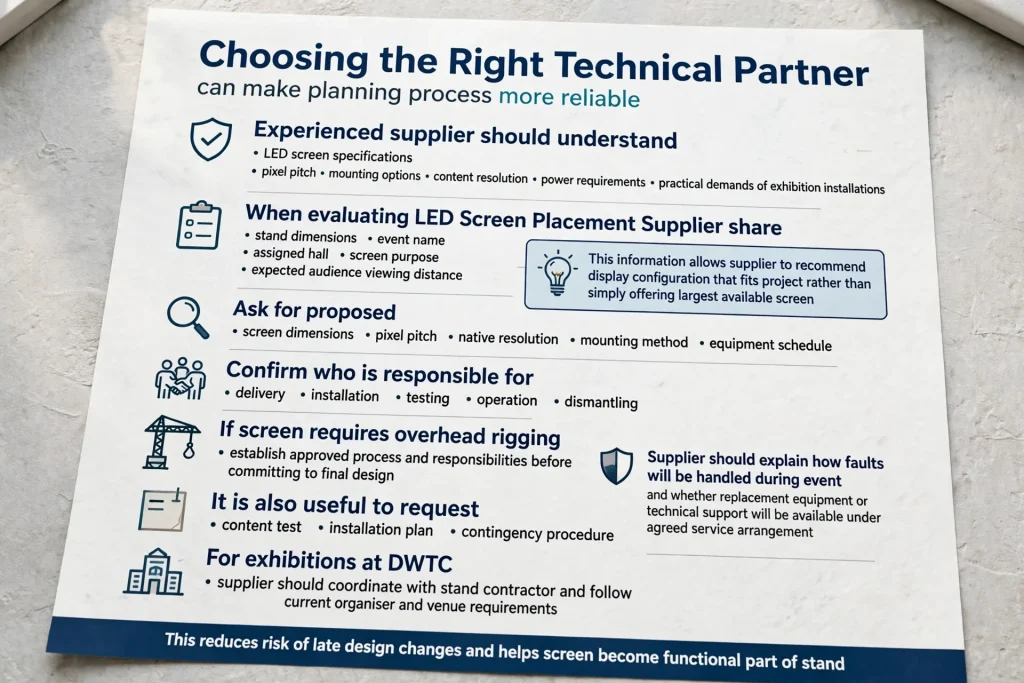
Choosing the right technical partner can make the planning process more reliable. An experienced supplier should understand LED screen specifications, pixel pitch, mounting options, content resolution, power requirements and the practical demands of exhibition installations.
When evaluating an LED Screen Placement Suppler, share the stand dimensions, event name, assigned hall, screen purpose and expected audience viewing distance. This information allows the supplier to recommend a display configuration that fits the project rather than simply offering the largest available screen.
Ask for the proposed screen dimensions, pixel pitch, native resolution, mounting method and equipment schedule. Confirm who is responsible for delivery, installation, testing, operation and dismantling. If the screen requires overhead rigging, establish the approved process and responsibilities before committing to the final design.
It is also useful to request a content test, installation plan and contingency procedure. The supplier should explain how faults will be handled during the event and whether replacement equipment or technical support will be available under the agreed service arrangement.
For exhibitions at DWTC, the supplier should coordinate with the stand contractor and follow the current organiser and venue requirements. This reduces the risk of late design changes and helps the screen become a functional part of the stand.
15. Common LED Screen Placement Mistakes to Avoid
One common mistake is choosing a screen before understanding the stand layout. This can lead to poor sightlines, insufficient mounting space or a display that overwhelms the available area. Start with the stand plan and visitor journey, then select the equipment.
Another mistake is using a pixel pitch that does not suit the intended viewing distance. Visitors may struggle to read small text if the display is designed primarily for longer-distance viewing. Test representative content and confirm the specification before ordering.
Some exhibitors underestimate power, cabling and content preparation. A screen may be physically installed but still fail to deliver the intended presentation because the media player, aspect ratio, connections or files have not been tested.
It is also risky to leave approvals and rigging arrangements until the final stages. Overhead installations, complex structures and event-specific technical requirements need early coordination. Confirm the current documentation and deadlines with the organiser rather than relying on requirements from a previous exhibition.
Finally, avoid treating the screen as a substitute for stand planning. Clear branding, welcoming staff, accessible circulation space and a well-organised product display remain essential to a successful exhibition experience.
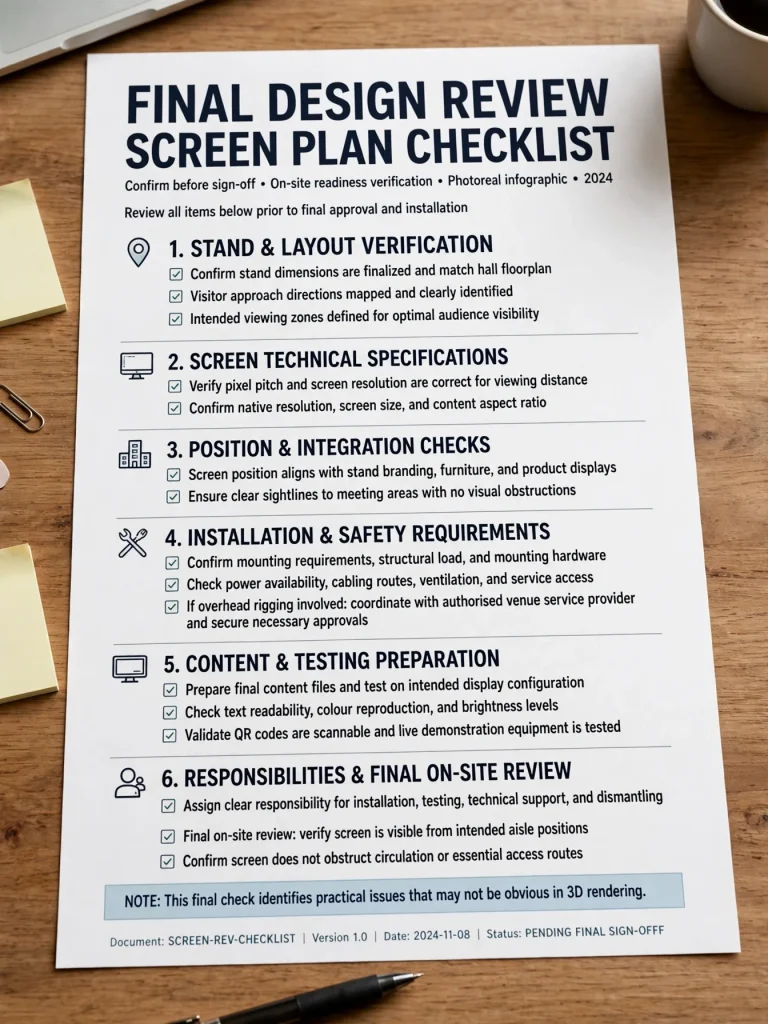
16. LED Screen Planning Checklist for DWTC Exhibitors
Before confirming the final design, review the complete screen plan. Confirm the stand dimensions, assigned hall, visitor approach directions and intended viewing zones. Verify the pixel pitch, native resolution, screen size and content aspect ratio.
Check that the screen position works with the stand’s branding, furniture, product displays and meeting areas. Confirm mounting requirements, power availability, cable routing, ventilation and service access. If overhead rigging is involved, coordinate with the authorised venue service provider and secure the necessary approvals.
Prepare the final content files and test them on the intended display configuration. Check text readability, colour reproduction, brightness, QR codes and any live demonstration equipment. Assign clear responsibility for installation, testing, technical support and dismantling.
A final on-site review should verify that the screen can be seen from the intended aisle positions and that it does not obstruct circulation or essential access. This last check helps identify practical issues that may not be obvious in a 3D rendering.
Conclusion
Planning LED screen placement for exhibition stands at Dubai World Trade Centre requires a balance between visual impact, technical performance, visitor movement and venue compliance. The most effective display is not necessarily the largest one; it is the screen that communicates the right message from the right position and supports the exhibitor’s business objectives.
By considering stand location, viewing distance, pixel pitch, resolution, content, brightness, power and mounting requirements early, businesses can reduce installation problems and create a more useful exhibition experience. Coordination between the exhibitor, stand contractor, screen supplier and venue team is particularly important for complex or suspended installations.
For exhibitors preparing for trade shows in Dubai, a well-planned LED display can strengthen brand visibility, improve product demonstrations and give visitors a clearer reason to engage with the business.
Frequently Asked Questions
Where should an LED screen be placed on an exhibition stand at DWTC?
The best location depends on the stand layout and visitor approach. A rear-wall screen often works well for inline stands, while corner or island stands may benefit from angled or multiple displays. The final position should provide clear sightlines without obstructing access or product demonstrations.
How do I choose the right pixel pitch for an exhibition LED screen?
Choose pixel pitch according to viewing distance, content detail and screen dimensions. Displays showing small text or technical graphics may require finer pixel pitch than screens used mainly for large promotional visuals. Test the intended content at realistic viewing distances before confirming the specification.
Do LED screens at Dubai World Trade Centre require rigging approval?
Requirements depend on the installation and event. DWTC identifies DXB Live as the sole provider of primary overhead rigging at the venue. Exhibitors considering suspended screens should coordinate through their stand contractor and confirm the current approval process with the venue and event organiser.
What should be checked before an exhibition LED screen is installed?
Check the stand layout, mounting structure, electrical load, cabling, ventilation, content resolution and screen visibility. Confirm the required approvals, test all media files and connections, and verify the display from the main visitor approaches before the exhibition opens.
Can one LED screen be used for both advertising and product demonstrations?
Yes, if the screen size, resolution and location support both purposes. However, the content should be planned for each use. Large promotional messages should be readable from the aisle, while technical demonstrations need sufficient detail for visitors standing closer to the display.
When should LED screen placement be planned?
Begin during the initial stand-design stage, before fabrication and technical submissions. Early planning gives the design team time to coordinate screen dimensions, mounting, power, cabling, content and approvals without unnecessary last-minute changes.