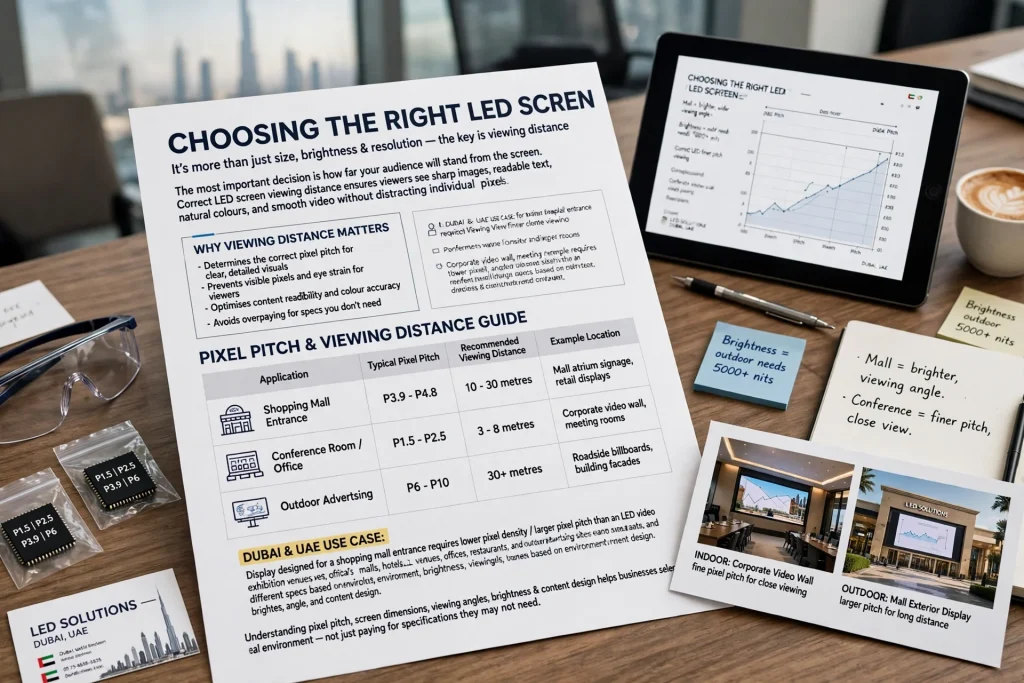
Choosing the right LED screen involves more than selecting a display size, brightness level, or resolution. One of the most important decisions is determining how far the audience will stand from the screen. The correct LED screen viewing distance helps viewers see sharp images, readable text, natural colours, and smooth video without distracting individual pixels.
For businesses installing digital signage, retail displays, exhibition screens, corporate video walls, or outdoor advertising displays, viewing distance should be considered before finalising the screen specifications. A display designed for a shopping mall entrance may require different pixel density from an LED video wall inside a conference room.
In Dubai and across the UAE, LED screens are used in shopping malls, hotels, exhibition venues, offices, restaurants, commercial buildings, and outdoor advertising locations. Understanding the relationship between pixel pitch, screen dimensions, viewing angles, brightness, and content design helps businesses select a display that suits the actual environment rather than paying for specifications they may not need.
What Is LED Screen Viewing Distance?
LED screen viewing distance is the physical distance between the display surface and the person watching it. It influences how clearly viewers can recognise text, distinguish image details, follow video content, and understand advertising messages.
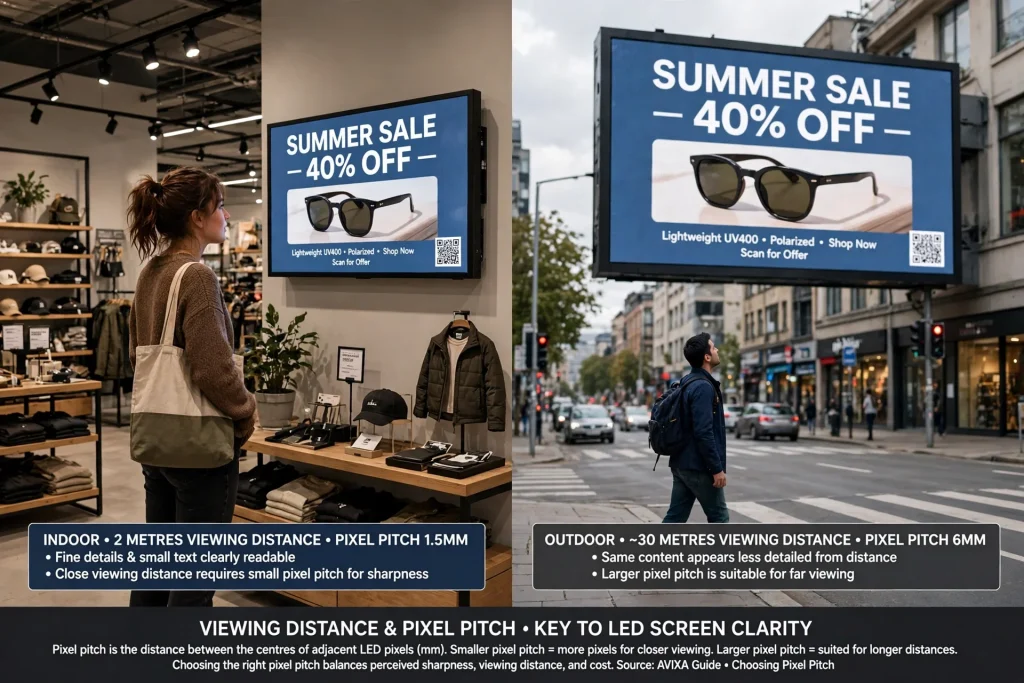
For example, a customer standing two metres from a digital display inside a retail store will notice image details differently from a pedestrian viewing an outdoor LED billboard from across a road. The same display specification may not deliver equally effective results in both locations.
Viewing distance is closely connected to pixel pitch, which describes the distance between the centres of adjacent LED pixels in millimetres. A smaller pixel pitch places more pixels within the same screen area, allowing the display to reproduce finer details at closer distances. A larger pixel pitch is often suitable when viewers will watch from farther away.
According to professional audiovisual guidance, pixel pitch is a key consideration when selecting LED displays because it affects perceived sharpness, viewing distance, and project cost. However, the best specification also depends on the screen’s dimensions, the content being displayed, and the audience’s actual position. (Source: AVIXA’s guide to choosing pixel pitch.)
How Does Pixel Pitch Affect Viewing Distance?
Pixel pitch is one of the most useful specifications to understand when planning an LED screen installation. It is commonly written as P1.5, P2.5, P3.9, P4, P6, or P10, where the number indicates the approximate distance between adjacent pixel centres in millimetres.
A P1.5 LED screen has a pixel pitch of 1.5 mm, while a P6 screen has a pitch of 6 mm. The smaller-pitch screen generally provides greater pixel density for the same physical dimensions and is better suited to applications where people need to view detailed content from nearby.
A fine-pitch LED display can be suitable for corporate boardrooms, control rooms, premium retail interiors, reception areas, and exhibition stands where visitors may approach the screen. A larger-pitch display may be appropriate for outdoor advertising, building facades, large event stages, and other installations viewed from longer distances.
Nevertheless, a smaller pixel pitch is not automatically the best choice for every project. If the audience is consistently far from the screen, the improvement in visible detail may be limited, while the purchase cost can increase. The objective is to match pixel density to the closest realistic viewing position and the level of detail the audience needs to see.
How to Calculate the Recommended LED Screen Viewing Distance
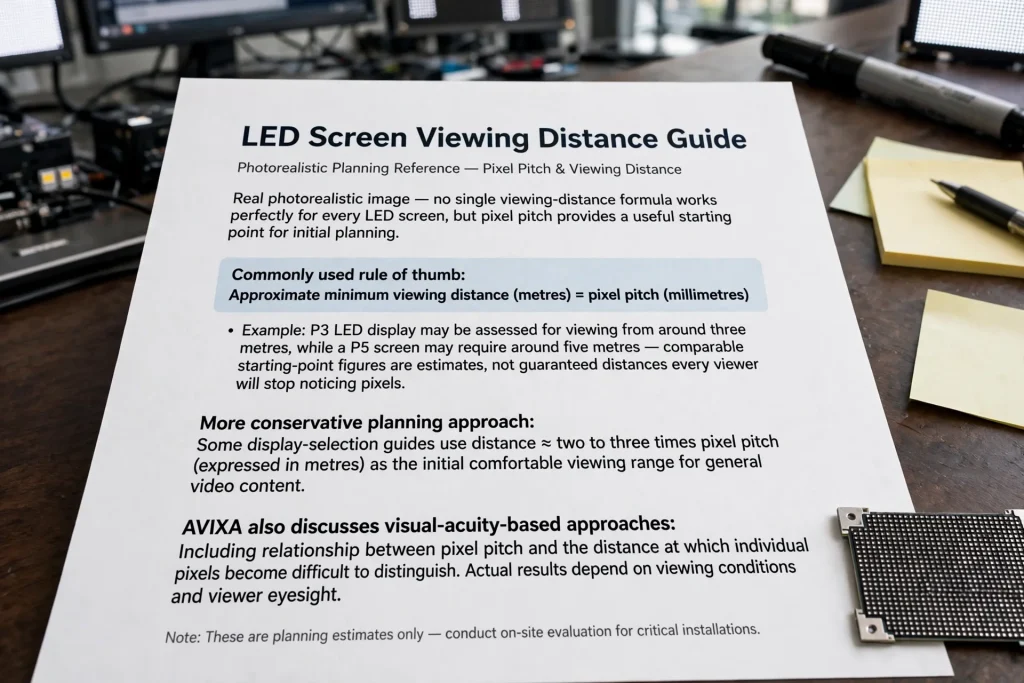
There is no single viewing-distance formula that works perfectly for every LED screen, but pixel pitch provides a useful starting point for initial planning.
A commonly used rule of thumb is:
Approximate minimum viewing distance in metres = pixel pitch in millimetres.
For example, a P3 LED display may be assessed for viewing from around three metres, while a P5 screen may require around five metres for a comparable starting point. These figures are estimates, not guaranteed distances at which every viewer will stop noticing pixels.
For a more conservative planning approach, some display-selection guides use a distance of approximately two to three times the pixel pitch, expressed in metres, as an initial comfortable viewing range for general video content. AVIXA also discusses visual-acuity-based approaches, including the relationship between pixel pitch and the distance at which individual pixels become difficult to distinguish. Actual results depend on viewing conditions and the viewer’s eyesight.
Here is an illustrative comparison using the two-to-three-times-pitch rule:
| LED pixel pitch | Approximate planning range |
|---|---|
| P1.5 | 3–4.5 metres |
| P2 | 4–6 metres |
| P2.5 | 5–7.5 metres |
| P3 | 6–9 metres |
| P4 | 8–12 metres |
| P5 | 10–15 metres |
| P6 | 12–18 metres |
| P10 | 20–30 metres |
These ranges are conservative starting points for assessing general viewing comfort, not universal minimum distances or strict engineering requirements. A viewer may find a fine-pitch display acceptable from closer than the listed range, particularly with suitable content. Conversely, small text or detailed graphics may require a finer pitch even at a similar distance.
For the final selection, review the manufacturer’s recommendations and test actual content from the nearest audience position. This is particularly important for screens used for presentations, data, product specifications, or other text-heavy material.
Recommended Viewing Distance for Different LED Screen Applications
Indoor LED Screens in Retail Stores and Shopping Malls
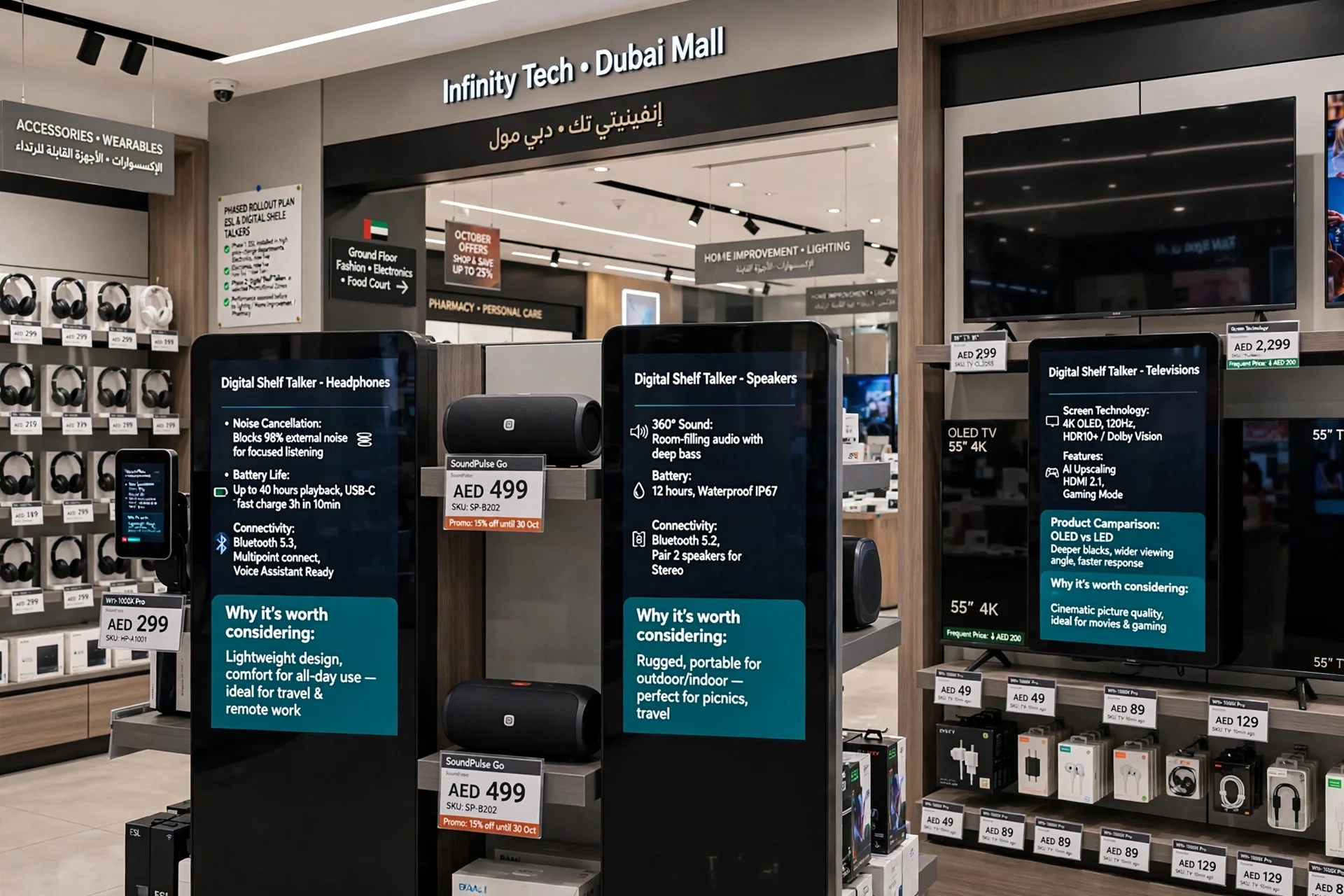
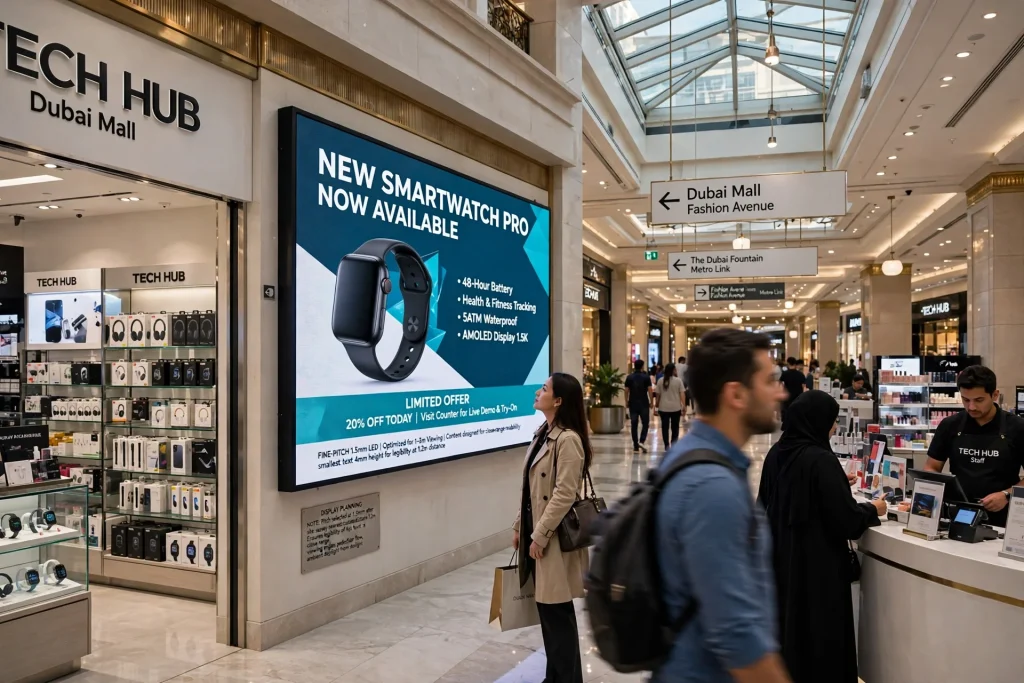
Indoor LED screens are often installed where shoppers can approach the display while walking through aisles, browsing products, or waiting near a counter. The audience may view the screen from less than a few metres away, making pixel pitch and text readability important.
Retail environments in Dubai, including shopping destinations such as Dubai Mall and Mall of the Emirates, illustrate why display planning must account for customer movement, viewing angles, surrounding lighting, and the distance between the screen and pedestrian routes.
For promotional videos, product demonstrations, brand storytelling, and detailed graphics, a fine-pitch indoor LED display can help preserve image detail at close range. The exact pitch should be chosen after checking the nearest customer position and the content’s smallest important text.
LED Screens for Exhibition Stands and Trade Shows
Exhibition visitors often approach displays closely to read company information, inspect product demonstrations, or speak with sales representatives. A screen that looks sharp from the opposite side of an exhibition hall may reveal visible pixels when a visitor stands directly in front of the stand.
For exhibition projects at Dubai World Trade Centre or Dubai Exhibition Centre, planners should consider the stand layout, aisle width, viewing direction, and distance visitors are likely to maintain while watching a presentation.
If the display shows product specifications, diagrams, or presentation slides, the required image detail may be greater than for a screen displaying simple promotional videos. Check the content at its actual playback resolution before approving the pixel pitch.
LED Video Walls in Corporate Offices and Conference Rooms
Corporate video walls are frequently used for meetings, presentations, video conferencing, internal communications, and control-room monitoring. These applications may involve fine text, spreadsheets, diagrams, and detailed graphics that become difficult to read if the pixel pitch is too large for the viewing distance.
In a meeting room, measure the distance from the display to the nearest seat as well as the farthest seat. The screen should provide an acceptable viewing experience across the seating area rather than only from the centre of the room.
For boardrooms and executive presentation spaces, fine-pitch LED displays may be appropriate when people sit close to the screen. The decision should also account for the display’s overall dimensions, input resolution, content layout, and the image quality required for presentations.
Outdoor LED Screens and Building-Facade Displays
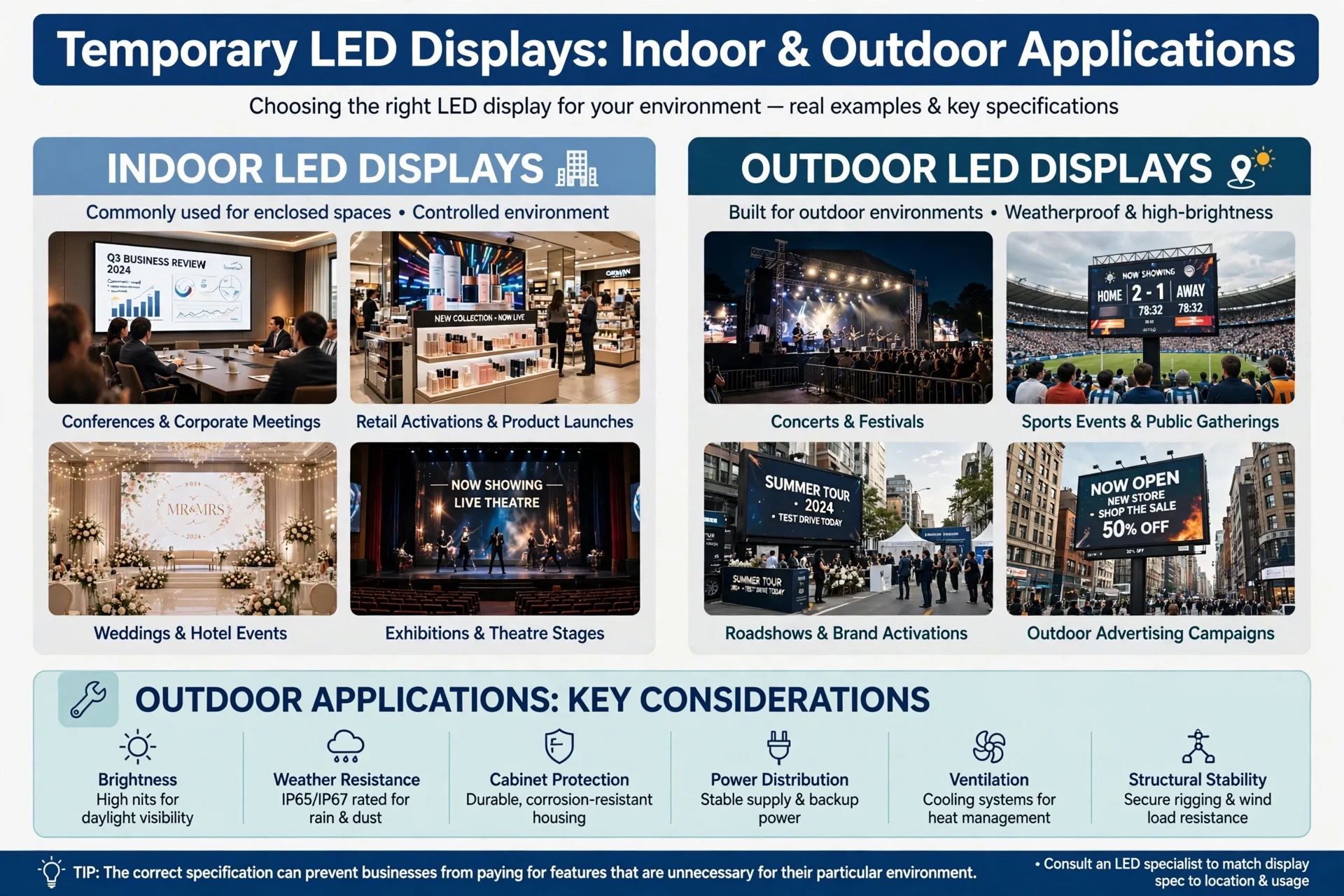
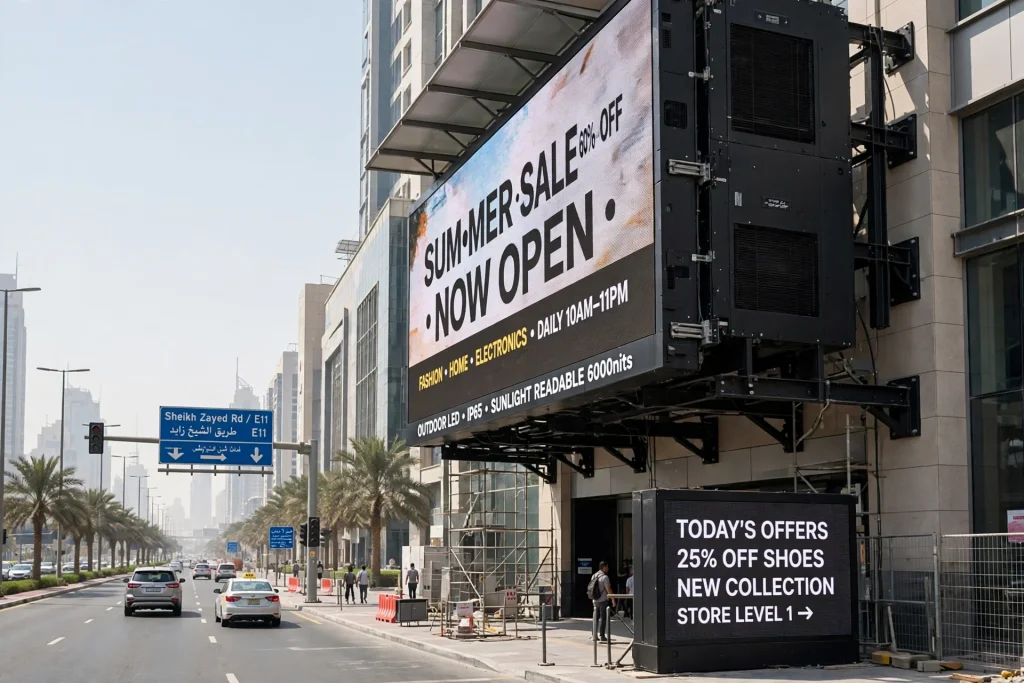
Outdoor LED screens are typically viewed from greater distances than indoor retail displays. Larger pixel pitches may be suitable for advertising on roads, commercial buildings, and large open spaces where the audience needs to recognise the main message rather than examine fine details.
However, the correct viewing distance depends on the road layout, pedestrian access, installation height, screen dimensions, and viewing direction. A display intended for people walking near a building may need more detail than one primarily viewed from a distant road.
In Dubai, Abu Dhabi, Sharjah, and other UAE locations, outdoor installations must also account for direct sunlight, ambient brightness, heat, weather exposure, and safe mounting. These environmental factors influence display selection but do not replace the need to match pixel pitch to audience distance.
Why Screen Size Alone Does Not Determine Viewing Distance
A common mistake is assuming that a larger LED screen will automatically produce a clearer image from farther away. Screen size determines the physical viewing area, but pixel pitch determines how closely pixels are packed together.
Two LED screens can have identical external dimensions but different pixel pitches. The screen with finer pitch will generally contain more pixels and reproduce finer details, assuming comparable display quality and suitable content.
For example, a large P2.5 screen and a similarly sized P6 screen may both be visible across a large room, but they will not reproduce fine text and image details equally. The P2.5 screen typically offers higher pixel density, while the P6 screen may be a more economical option for an audience viewing from farther away.
Screen dimensions and viewing distance should therefore be considered together. A display must be large enough to attract attention and present information at the intended distance, while its pixel pitch must support the level of detail required.
How Viewing Distance Affects Text Readability and Content Design
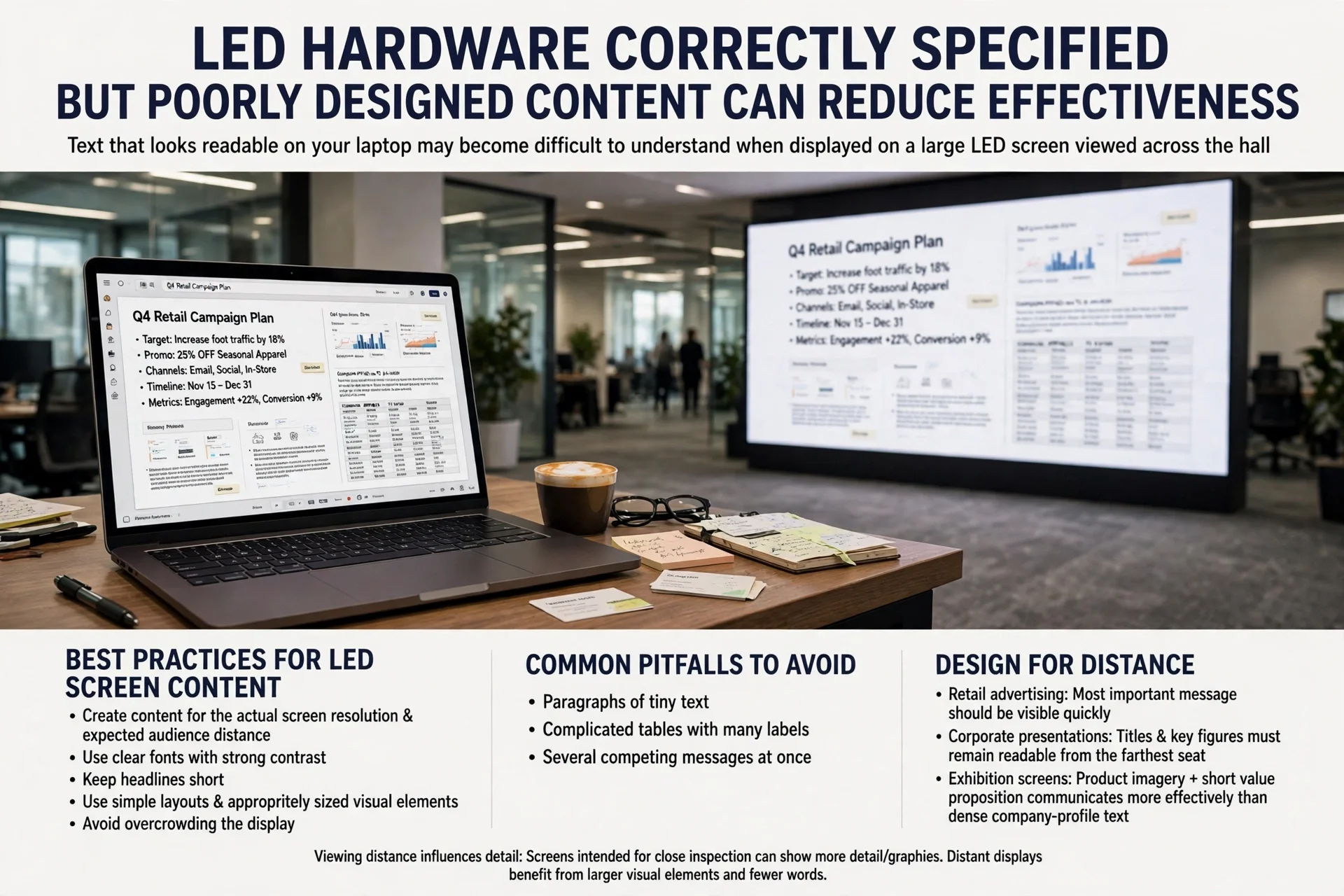
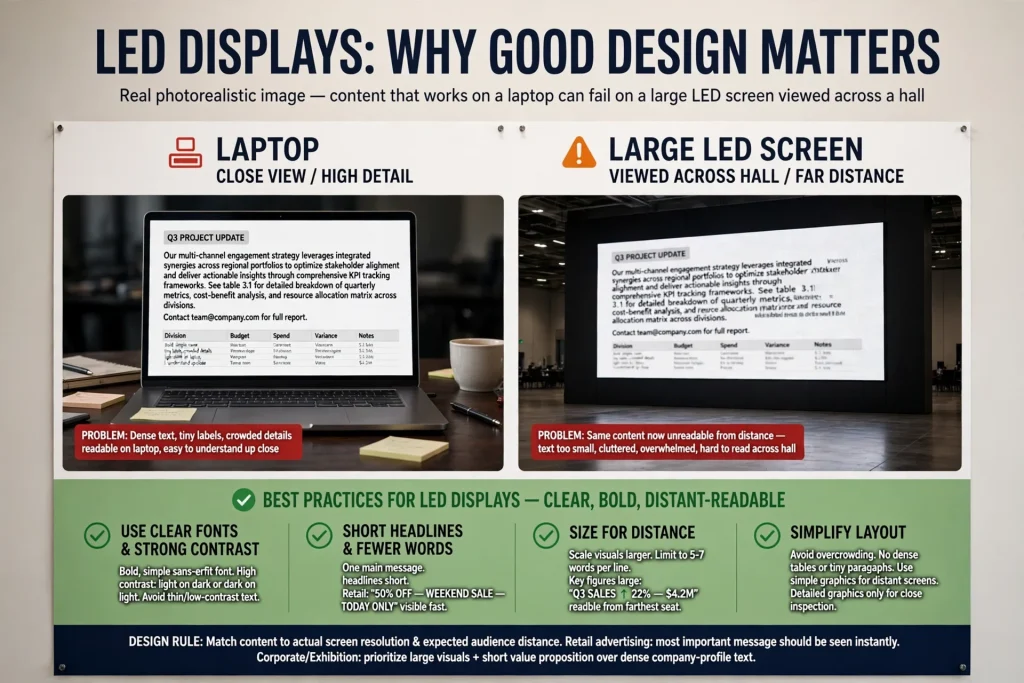
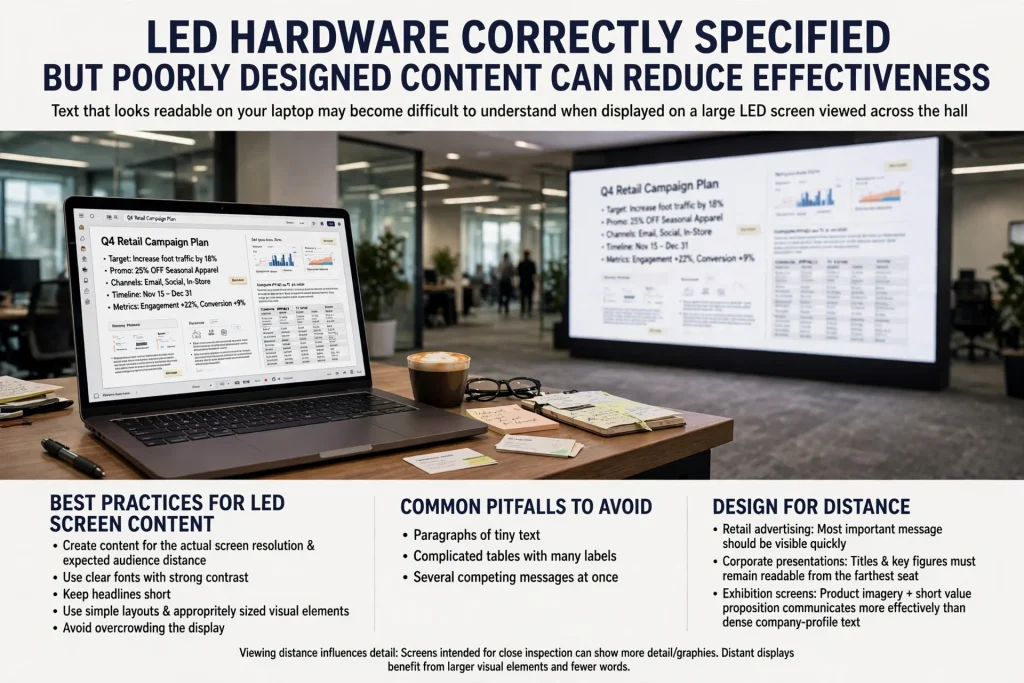
Even when the LED hardware is correctly specified, poorly designed content can reduce its effectiveness. Text that looks readable on a laptop may become difficult to understand when displayed on a large LED screen and viewed from across a hall.
Businesses should create content for the actual screen resolution and expected audience distance. Use clear fonts, strong contrast, short headlines, simple layouts, and appropriately sized visual elements. Avoid overcrowding the display with paragraphs, tiny labels, complicated tables, or several competing messages.
For retail advertising, the most important message should be visible quickly. For corporate presentations, titles and key figures need to remain readable from the farthest seat. For exhibition screens, product imagery and a short value proposition can communicate more effectively than dense company-profile text.
The viewing distance should also influence the content’s level of detail. A screen intended for close inspection can show more detailed graphics, while a distant display usually benefits from larger visual elements and fewer words.
Viewing Angle: Why Audience Position Matters
Viewing distance is only one part of the viewing experience. The horizontal and vertical viewing angles also influence how the screen appears to people standing or sitting away from its centre.
In a retail store, customers may approach the screen from the side. At an exhibition, visitors may see the display while walking past the stand. In a conference room, people seated near the edges may look at the screen from an oblique angle.
Check the manufacturer’s viewing-angle specifications and assess the actual positions from which the display will be seen. The mounting height and screen tilt should also be considered, especially where viewers will be seated or where the screen is installed above eye level.
A practical site survey should identify the primary viewing position, the nearest and farthest audience locations, likely side angles, obstructions, and reflections. This helps ensure the selected display works for the whole audience area instead of just one ideal viewpoint.
The Role of Brightness and Ambient Lighting
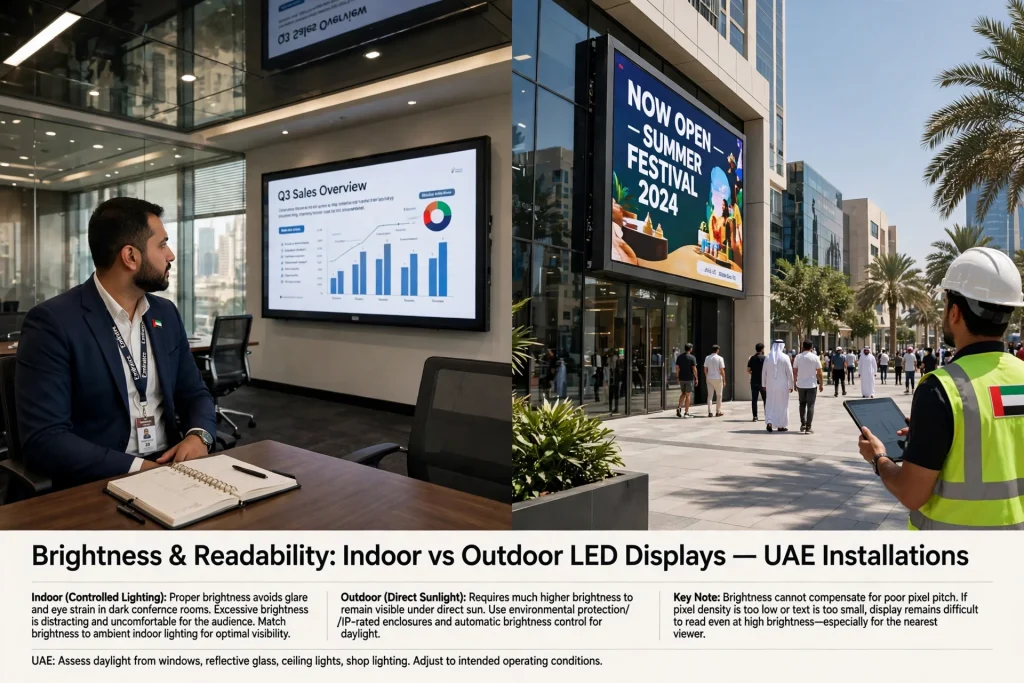
Brightness affects how easily viewers can see an LED display in its surroundings. Indoor screens in controlled lighting conditions generally have different requirements from outdoor screens exposed to direct sunlight.
A display that is too dim may struggle in a bright environment, while excessive brightness in a dark conference room can be uncomfortable and distract from the content. The right brightness setting should provide sufficient visibility without overwhelming the audience.
For UAE installations, planners should assess daylight entering through windows, reflective glass, ceiling lights, shop lighting, and direct sunlight. Outdoor displays need suitable brightness control and environmental protection, while indoor displays should be adjusted for their intended operating conditions.
Brightness does not compensate for an unsuitable pixel pitch. A very bright screen may remain difficult to read if its text is too small or its pixel density is inadequate for the nearest viewer.
Common Mistakes When Planning LED Screen Viewing Distance
One frequent mistake is selecting a screen based only on its purchase price. A lower-cost display may have a pixel pitch that is unsuitable for a close viewing position, potentially reducing image quality and audience engagement.
Another mistake is selecting an unnecessarily fine pitch for a screen viewed primarily from a long distance. In such cases, the extra pixel density may offer limited practical benefit relative to its additional cost.
Ignoring the nearest viewer is also a common planning problem. A screen may look good from the back of a venue but appear pixelated when someone approaches it. For this reason, the minimum expected viewing distance should be established before the screen specification is finalised.
Businesses should also avoid testing only static images. Videos, moving graphics, presentations, and small text can reveal different limitations. Review representative content at the intended playback resolution and from several positions.
Finally, do not assume that all LED panels with the same advertised pixel pitch deliver identical results. Processing quality, calibration, module consistency, refresh performance, installation quality, and content source can also influence the final viewing experience.
How to Choose the Right LED Screen for a UAE Project
Start by identifying the display’s purpose. Decide whether it will be used for retail advertising, corporate presentations, exhibition branding, entertainment, outdoor advertising, or another application. The intended use establishes the level of detail and content readability required.
Next, measure the actual audience area. Record the closest and farthest viewing distances, the screen’s mounting height, the main viewing angles, and any physical obstacles. For a venue with multiple viewing zones, prioritise the positions that matter most to the audience.
Then compare pixel pitch, physical screen dimensions, native resolution, brightness, refresh rate, viewing angle, and operating environment. Ask the supplier to demonstrate sample content at realistic distances rather than relying only on specification sheets or showroom impressions.
For projects in Dubai, Sharjah, Abu Dhabi, Ajman, and other UAE locations, installation conditions should also be assessed. Outdoor displays may require appropriate weather protection, structural support, ventilation, electrical planning, and access for maintenance. Indoor installations may need to account for wall structure, ambient lighting, cable routing, and integration with existing audiovisual systems.
Working with a supplier that understands display specifications and site conditions can help reduce costly mismatches between the proposed screen and the actual environment. Businesses evaluating their options can explore LED Screen Viewing Solutions to help determine suitable screen specifications, audience distances, and installation requirements for their project.
LED Screen Viewing Distance Checklist Before Installation
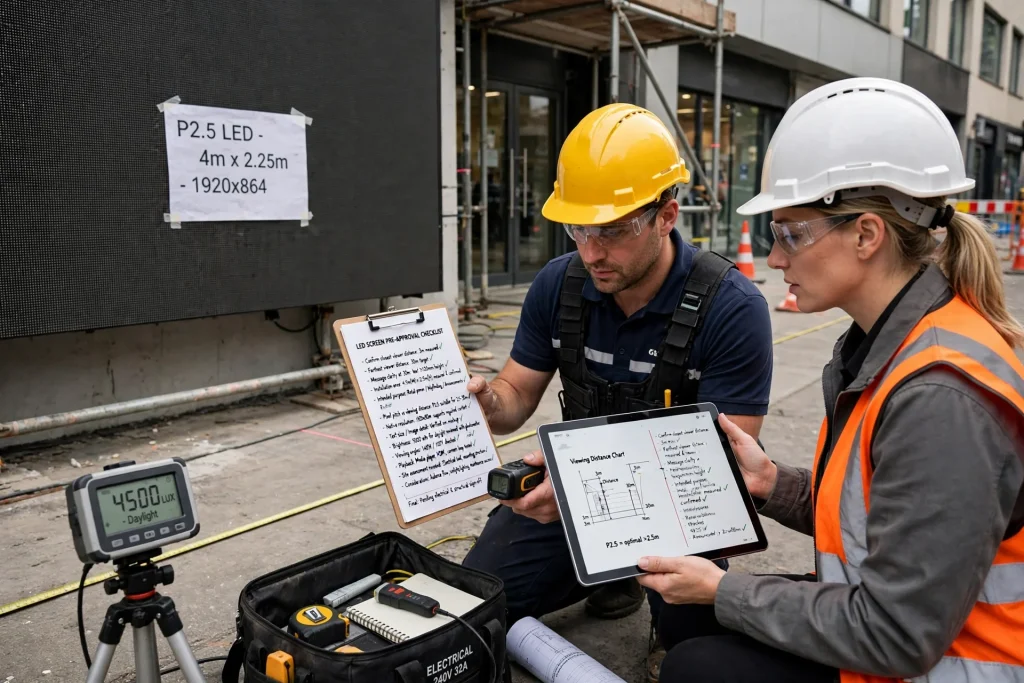
Before approving an LED screen, confirm the closest point from which viewers will watch it and the farthest position where the message must remain clear. Measure the available installation area and establish the screen’s intended purpose.
Check the pixel pitch against the required viewing distance, then confirm that the screen’s native resolution supports the intended content. Review text size, image detail, brightness, viewing angles, and playback requirements using real examples.
Finally, request a site assessment where necessary. A properly planned installation should consider audience movement, lighting conditions, mounting position, electrical requirements, and long-term maintenance. These checks help ensure the display performs as expected after installation.
Frequently Asked Questions
How far away should you stand from an LED screen?
The recommended distance depends on pixel pitch, screen size, content detail, and personal visual acuity. A commonly used initial estimate is that the minimum viewing distance in metres is roughly equal to the pixel pitch in millimetres. For a more comfortable general-video viewing range, planners may begin by assessing distances around two to three times the pitch, then validate the result using the manufacturer’s guidance and real content.
What is the best pixel pitch for an LED screen viewed from 3 metres away?
A fine pitch such as P1.5, P1.8, P2, or P2.5 may be worth evaluating for a screen viewed from around three metres. The best option depends on whether the display shows detailed text, presentation slides, product imagery, or video. Test the nearest viewing position before finalising the specification.
Does a larger LED screen have a longer viewing distance?
Not necessarily. A larger screen may be easier to see from far away because it occupies more of the viewer’s field of vision, but pixel pitch remains important for image detail. Both physical dimensions and pixel density should be considered when choosing a display.
Is a P4 LED screen suitable for indoor use?
A P4 display can be suitable for some indoor applications, especially where viewers are several metres away and the content uses large text and graphics. For close viewing in reception areas, premium retail spaces, or meeting rooms, a finer pixel pitch may provide a better result. The decision should be based on the closest viewing position and content requirements.
Can viewers stand closer to an LED screen than the recommended distance?
Yes, depending on the pixel pitch, the viewer’s eyesight, the content, and the acceptable level of visible pixel structure. The estimated minimum distance is a planning guideline rather than a strict safety boundary. If the screen will be approached closely, test the actual display from that position.
Does brightness improve LED screen viewing distance?
Brightness can improve visibility in bright environments, particularly outdoors or in sunlit commercial spaces. However, it does not increase the screen’s pixel density or automatically make small text sharper. Pixel pitch, content design, ambient light, and viewing angle must all be considered.
What should businesses check before installing an LED screen in Dubai?
Businesses should assess the closest and farthest viewing distances, pixel pitch, screen dimensions, native resolution, brightness, viewing angles, mounting position, and content requirements. Outdoor projects also need appropriate consideration of sunlight, heat, weather protection, structural support, electrical planning, and maintenance access.
Conclusion
The right LED screen viewing distance helps businesses deliver clearer images, more readable messages, and a better audience experience. Pixel pitch provides a useful starting point, but the final decision should also consider screen dimensions, content design, viewing angles, brightness, and the environment in which the display will operate.
Whether the project involves a retail display, corporate video wall, exhibition stand, or outdoor advertising screen in Dubai or elsewhere in the UAE, assess where viewers will actually stand before choosing the hardware. Combining a realistic site survey with manufacturer specifications and practical content testing helps businesses select an LED screen that meets their requirements without unnecessary expense.