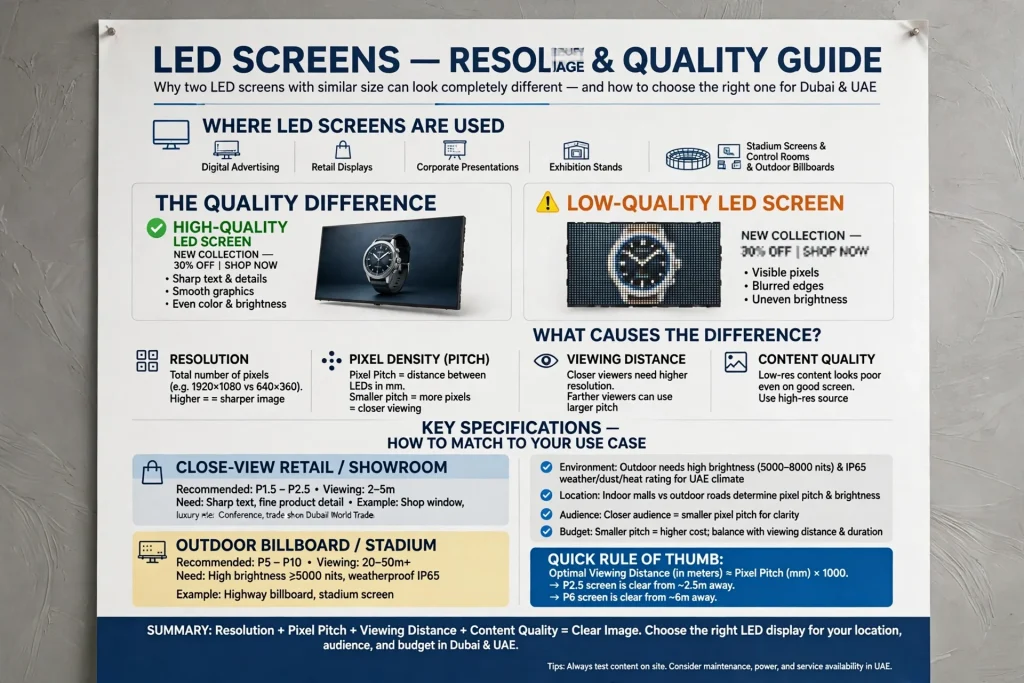
LED screens are widely used for digital advertising, retail displays, corporate presentations, exhibition stands, stadium screens, control rooms and outdoor billboards. However, two LED screens with similar dimensions can produce noticeably different image quality. One may display sharp text, detailed product images and smooth graphics, while the other may show visible pixels, blurred edges or uneven-looking content.
The difference often comes down to LED screen resolution, pixel density, pixel pitch, viewing distance and the quality of the content being displayed. These specifications work together to determine how clearly an audience can see text, images, videos and fine details.
Understanding these factors helps businesses select the right LED display for their location, audience and budget. A screen for a close-view retail environment needs different specifications from a large outdoor billboard viewed from across a road. This guide explains how resolution and pixel density affect LED screen image quality, how to compare display specifications, and what to consider when choosing an LED screen for commercial projects in Dubai and across the UAE.
What Is LED Screen Resolution?
LED screen resolution refers to the total number of individual pixels used to create an image. It is usually expressed as horizontal pixels multiplied by vertical pixels, such as 1920 × 1080 or 3840 × 2160.
A higher resolution means the screen can represent more individual image details when the physical display size and other conditions are comparable. This can improve the appearance of small text, product photographs, diagrams, graphics and high-definition video.
For example, Full HD resolution contains 1920 pixels horizontally and 1080 pixels vertically, giving approximately 2.07 million pixels. A 4K UHD display commonly uses 3840 × 2160 pixels, providing approximately 8.29 million pixels. That is four times as many pixels as Full HD.
However, these familiar resolution labels are not sufficient on their own to evaluate a modular LED wall. Unlike many televisions and computer monitors, large LED displays are assembled from individual LED cabinets or modules. Their native resolution depends on the physical dimensions of the screen and the number of pixels in each module.
A large LED wall can have a lower native resolution than a much smaller monitor. The screen may still look clear when viewed from far away because the audience cannot distinguish individual pixels at that distance.
What Is Pixel Density in LED Displays?
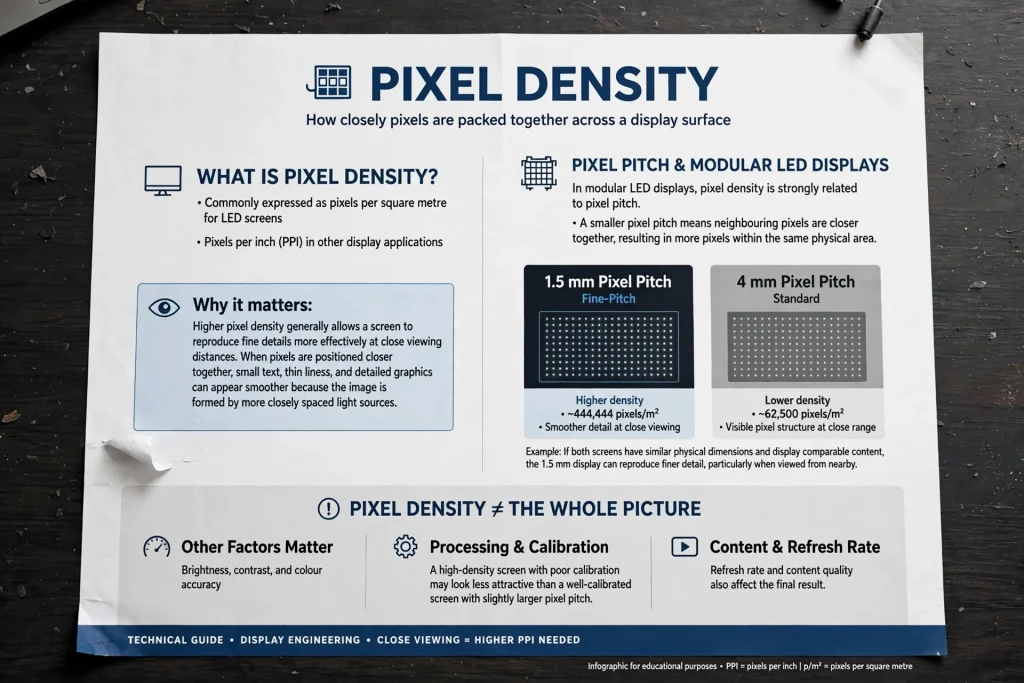
Pixel density describes how closely pixels are packed together across a display surface. It is commonly expressed as pixels per square metre for LED screens or pixels per inch (PPI) in other display applications.
Higher pixel density generally allows a screen to reproduce fine details more effectively at close viewing distances. When pixels are positioned closer together, small text, thin lines and detailed graphics can appear smoother because the image is formed by more closely spaced light sources.
In modular LED displays, pixel density is strongly related to pixel pitch. A smaller pixel pitch means that the centres of neighbouring pixels are closer together, resulting in more pixels within the same physical area.
For example, a fine-pitch LED display with a 1.5 mm pixel pitch has more pixels per square metre than a display with a 4 mm pitch. If both screens have similar physical dimensions and display comparable content, the 1.5 mm display can reproduce finer detail, particularly when viewed from nearby.
Pixel density does not determine every aspect of image quality. Brightness, contrast, colour accuracy, refresh rate, processing, calibration and content quality also affect the final result. A high-density screen with poor calibration may look less attractive than a well-calibrated screen with a slightly larger pixel pitch.
Understanding LED Pixel Pitch and Its Relationship to Resolution
Pixel pitch is the distance, usually measured in millimetres, between the centres of two neighbouring pixels. Common LED display pitches include 1.2 mm, 1.5 mm, 1.8 mm, 2.5 mm, 3.9 mm, 4.8 mm and larger values for selected applications.
The smaller the pixel pitch, the more pixels fit into a given physical area. This is why fine-pitch LED displays are often used in corporate meeting rooms, broadcast studios, premium retail environments and control rooms where viewers need to see detailed information at relatively short distances.
Larger pixel pitches are commonly used for outdoor advertising, building-mounted displays and large-format screens viewed from farther away. These applications often prioritise visibility, brightness, weather resistance and overall screen size over extremely fine pixel density.
Consider two LED walls of the same physical size. A 2.5 mm pitch display contains more pixels than a 4 mm pitch display. It can therefore reproduce more detail at the same size, provided the source content and processing support that detail.
However, a smaller pitch typically increases the cost per square metre. Buyers should compare the improvement in visible image quality with the audience’s actual viewing distance rather than automatically selecting the smallest available pitch.
How Pixel Pitch Determines Pixel Density
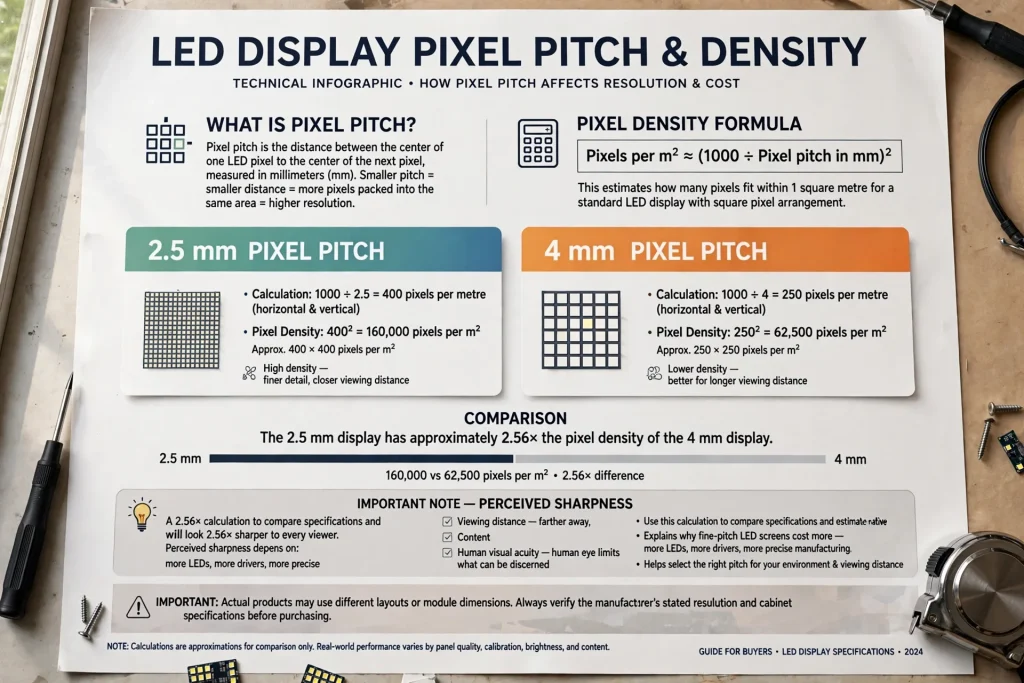
For a standard LED display with a square pixel arrangement, approximate pixel density can be calculated from pixel pitch.
The formula is:
[
\text{Pixels per m}^2 \approx \left(\frac{1000}{\text{Pixel pitch in mm}}\right)^2
]
For example, a 2.5 mm pixel pitch gives approximately 400 pixels per metre horizontally and vertically. This produces about 160,000 pixels per square metre.
A 4 mm pixel pitch gives approximately 250 pixels per metre in each direction, or about 62,500 pixels per square metre.
The 2.5 mm display therefore has approximately 2.56 times the pixel density of the 4 mm display. This does not mean it will look 2.56 times sharper to every viewer, because perceived sharpness depends on viewing distance, content and human visual acuity.
The calculation is useful for comparing specifications, estimating native resolution and understanding why fine-pitch LED screens can cost more. Actual products may use different layouts or module dimensions, so buyers should verify the manufacturer’s stated resolution and cabinet specifications.
How LED Screen Resolution Affects Image Quality
Sharpness of Text and Graphics
Text clarity is one of the most noticeable differences between LED screens with different resolutions. Small fonts, thin lines, logos and detailed charts need enough pixels to reproduce their shapes accurately.
When a screen has insufficient resolution for its physical size and viewing conditions, letters may appear jagged, narrow strokes may disappear, and curves can look uneven. These effects are especially noticeable in close-view applications such as reception displays, retail signage and corporate presentations.
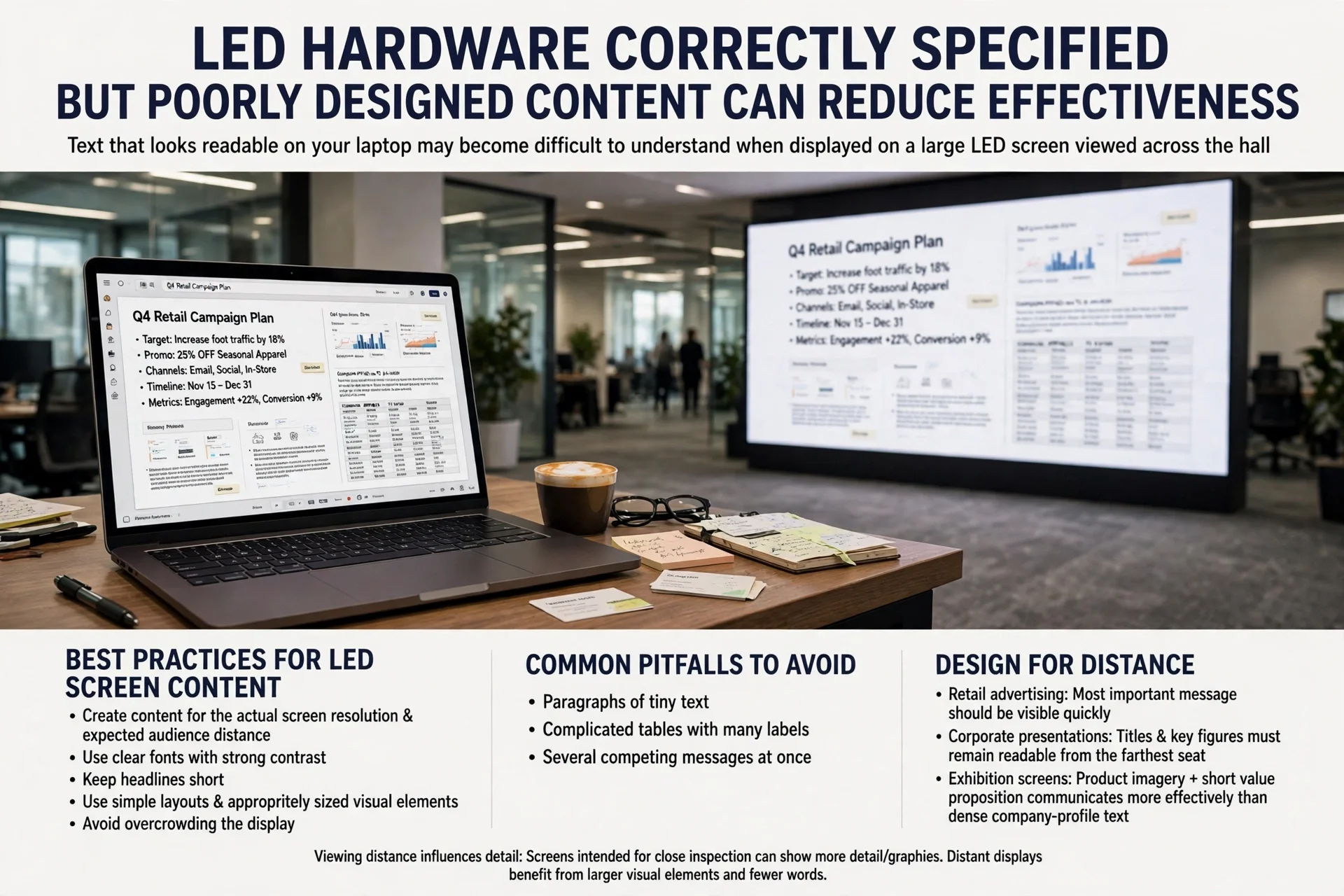
A higher-resolution screen can reproduce smaller text and finer graphic elements more clearly. Nevertheless, content designers should use suitable font sizes, adequate contrast and layouts designed for the screen’s native resolution. Even a fine-pitch LED wall cannot make poorly prepared graphics look sharp.
Photographs and Video
Photographs contain gradients, textures, edges and fine details. Pixel density affects how well the screen can represent these elements, particularly when viewers stand close to the display.
A fine-pitch LED screen can be useful for premium product advertising, close-view digital signage and video walls where image detail is important. On a large outdoor billboard, however, the audience may be too far away to benefit meaningfully from a very small pixel pitch.
Source resolution also matters. Displaying low-resolution video on a high-resolution screen does not automatically create genuine additional detail. The video processor may scale the image to fit the screen, but scaling cannot recover information that was never present in the source file.
Smooth Edges and Gradients
Curved shapes, diagonal lines and small graphics can appear jagged when the pixel grid is too coarse for the viewing distance. More closely spaced pixels can help represent these edges more smoothly.
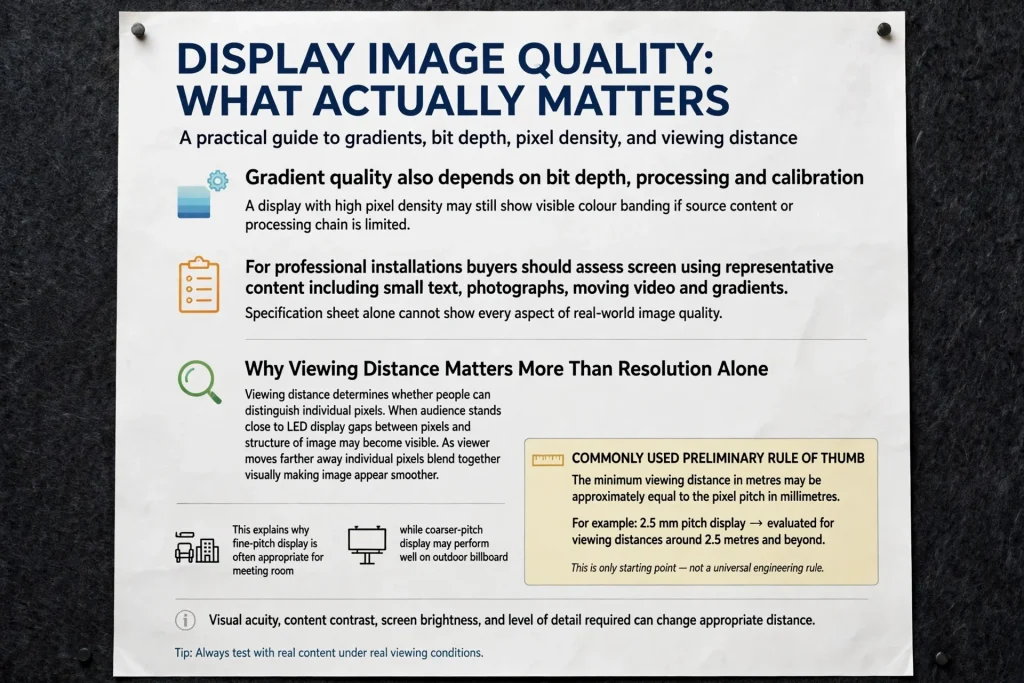
Gradient quality also depends on bit depth, processing and calibration. A display with high pixel density may still show visible colour banding if the source content or processing chain is limited.
For professional installations, buyers should assess the screen using representative content, including small text, photographs, moving video and gradients. A specification sheet alone cannot show every aspect of real-world image quality.
Why Viewing Distance Matters More Than Resolution Alone
Viewing distance determines whether people can distinguish individual pixels. When an audience stands close to an LED display, the gaps between pixels and the structure of the image may become visible. As the viewer moves farther away, individual pixels blend together visually, making the image appear smoother.
This explains why a fine-pitch display is often appropriate for a meeting room while a coarser-pitch display may perform well on an outdoor billboard.
A commonly used preliminary rule of thumb is that the minimum viewing distance in metres may be approximately equal to the pixel pitch in millimetres. For example, a 2.5 mm pitch display might be evaluated for viewing distances around 2.5 metres and beyond. This is only a starting point, not a universal engineering rule. Visual acuity, content, contrast, screen brightness and the level of detail required can change the appropriate distance.
For projects where viewers stand very close, test the proposed pitch with real content at the expected distance. For outdoor installations, evaluate the display from the actual pedestrian or vehicle viewing positions.
LED Screen Resolution Examples by Application
Retail Stores and Shopping Malls
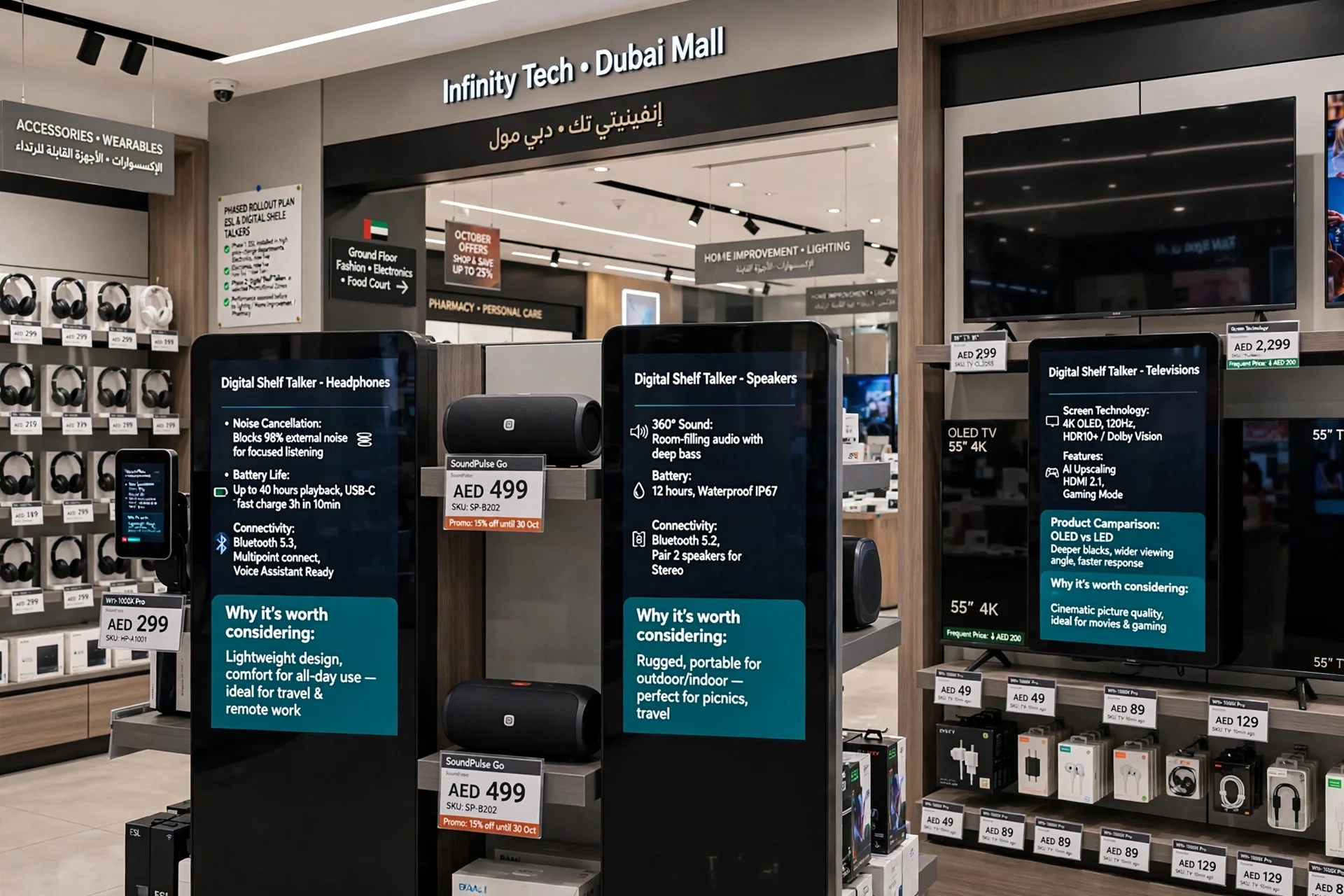
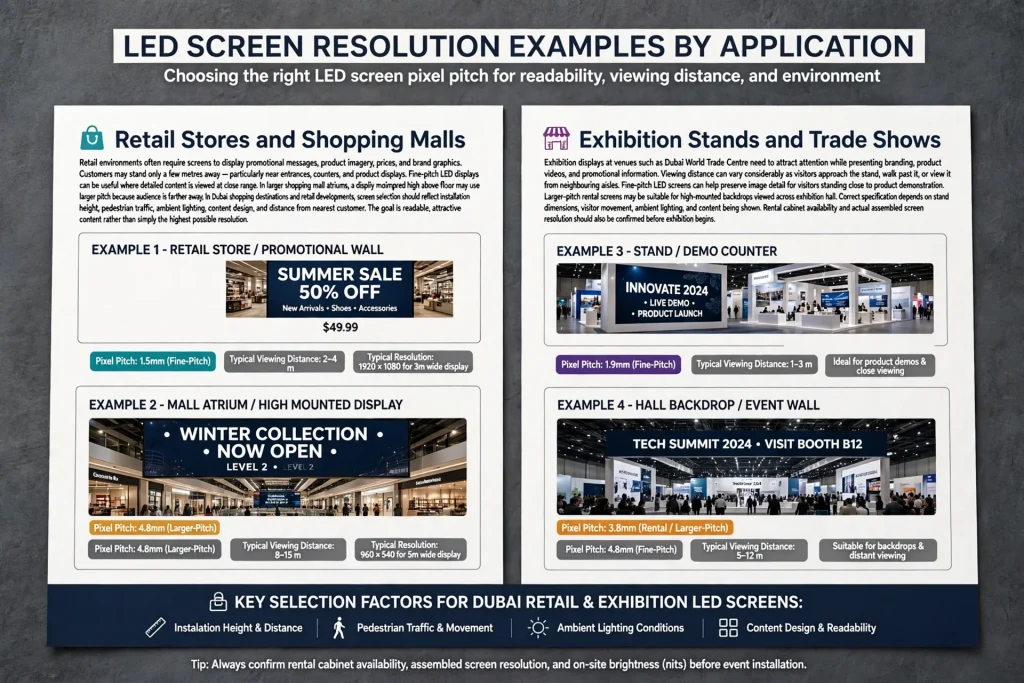
Retail environments often require screens to display promotional messages, product imagery, prices and brand graphics. Customers may stand only a few metres away, particularly near entrances, counters and product displays.
Fine-pitch LED displays can be useful where detailed content is viewed at close range. In larger shopping mall atriums, a display mounted high above the floor may use a larger pitch because the audience is farther away.
In Dubai shopping destinations and retail developments, screen selection should reflect the installation height, pedestrian traffic, ambient lighting, content design and distance from the nearest customer. The goal is readable, attractive content rather than simply the highest possible resolution.
Exhibition Stands and Trade Shows
Exhibition displays at venues such as the Dubai World Trade Centre need to attract attention while presenting branding, product videos and promotional information. Viewing distance can vary considerably as visitors approach the stand, walk past it or view it from neighbouring aisles.
Fine-pitch LED screens can help preserve image detail for visitors standing close to a product demonstration. Larger-pitch rental screens may be suitable for high-mounted backdrops viewed across an exhibition hall.
The correct specification depends on stand dimensions, visitor movement, ambient lighting and the content being shown. Rental cabinet availability and the actual assembled screen resolution should also be confirmed before the exhibition begins.
Outdoor Advertising and Building Displays
Outdoor LED billboards are often viewed from tens or hundreds of metres away, depending on the location and viewing conditions. A larger pixel pitch can be appropriate because individual pixels are less distinguishable at greater distances.
Outdoor displays must also provide suitable brightness, weather protection, structural safety and reliable operation under local environmental conditions. In the UAE, sunlight, heat, dust and humidity can influence product selection and maintenance requirements.
For road-facing advertising, content is typically designed with large text, strong contrast and simple visuals. Extremely fine pixel density may offer limited benefit when the audience has only a brief view from far away.
Corporate Meeting Rooms and Control Rooms
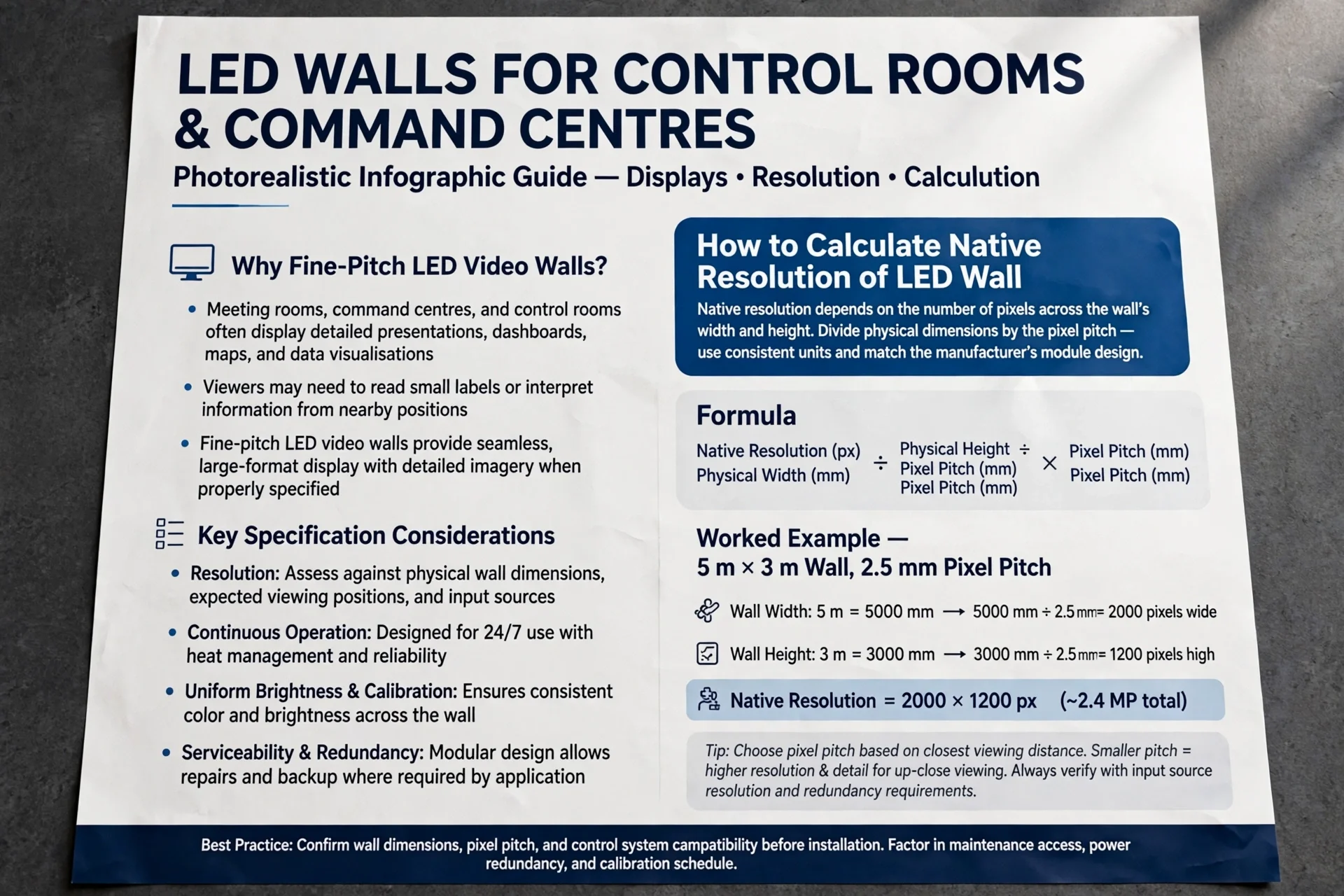
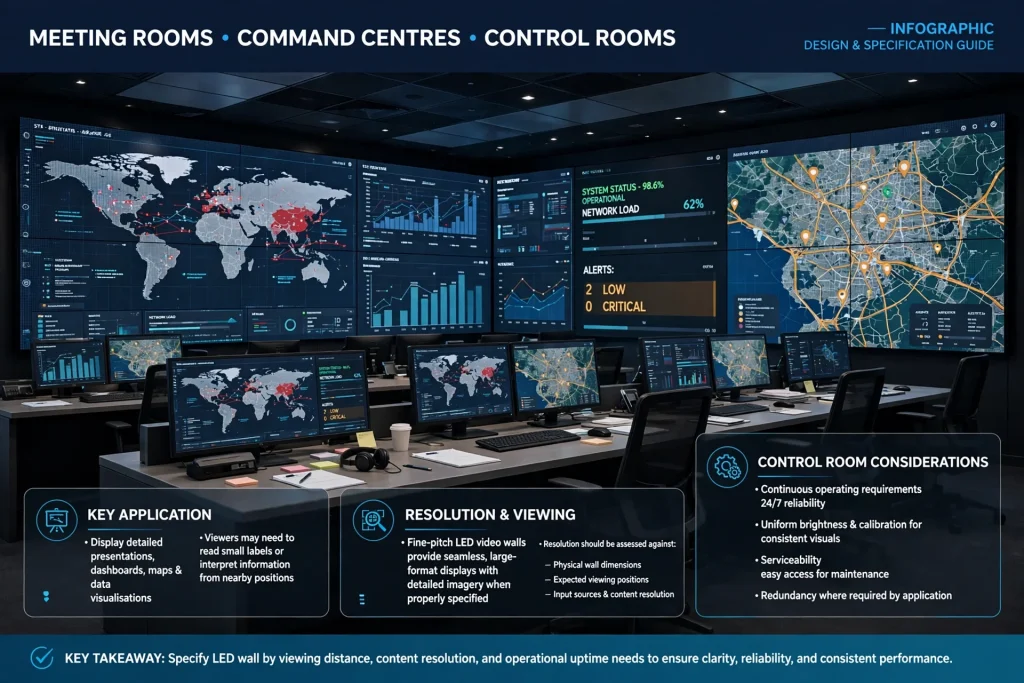
Meeting rooms, command centres and control rooms often display detailed presentations, dashboards, maps and data visualisations. Viewers may need to read small labels or interpret information from nearby positions.
Fine-pitch LED video walls can provide a seamless-looking large-format display with detailed imagery when properly specified. Resolution should be assessed against the physical wall dimensions, expected viewing positions and input sources.
For control rooms, the project team should also consider continuous operating requirements, uniform brightness, calibration, serviceability and redundancy where required by the application.
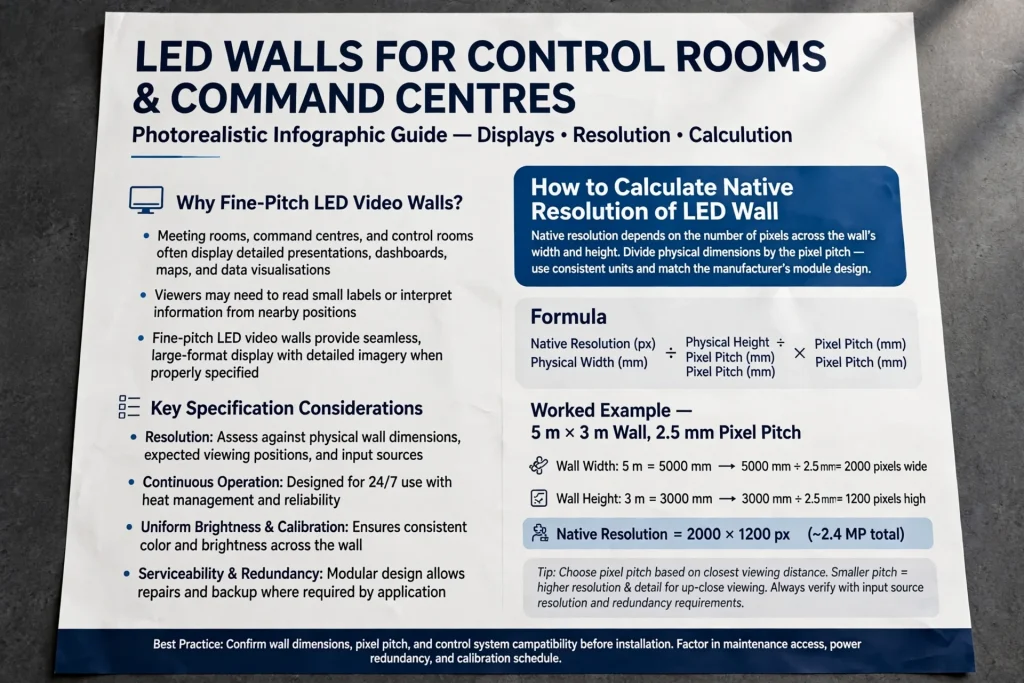
How to Calculate the Native Resolution of an LED Wall
The native resolution of a modular LED wall depends on the number of pixels across its width and height. To estimate it, divide the physical dimensions by the pixel pitch, provided the measurements use consistent units and match the manufacturer’s module design.
For example, consider a hypothetical LED wall measuring 5 metres wide and 3 metres high with a 2.5 mm pixel pitch.
The approximate horizontal pixel count is:
[
\frac{5000}{2.5}=2000
]
The approximate vertical pixel count is:
[
\frac{3000}{2.5}=1200
]
The resulting native resolution is approximately 2000 × 1200 pixels, or 2.4 million pixels, assuming the module dimensions support those exact counts.
This is a simplified calculation. Actual LED cabinets have fixed pixel dimensions, so the final wall resolution depends on the number and arrangement of cabinets. Always request the manufacturer’s cabinet resolution and confirm the exact assembled configuration.
The input resolution and processor settings must then be configured to match the wall. If a source video uses a different aspect ratio, the system may need scaling, cropping, letterboxing or a custom content layout.
Resolution, Brightness, Contrast and Refresh Rate: What Is the Difference?
Resolution and pixel density describe how much spatial detail a screen can reproduce, but other specifications also influence perceived quality.
Brightness is typically measured in nits, or candelas per square metre. Outdoor displays may need higher brightness to remain visible in daylight, while indoor screens often operate at lower levels to maintain comfortable viewing.
Contrast describes the difference between the brightest and darkest parts of an image. It depends on LED performance, black-level behaviour, ambient light and screen design. Strong contrast can help text and graphics appear clearer, but it does not increase native resolution.
Refresh rate describes how frequently the display updates its image, while camera-related performance may also depend on scan design and shutter interaction. A high refresh rate can help reduce visible flicker or camera banding in suitable systems, but it does not automatically increase pixel density.
Colour calibration, greyscale performance, viewing angle and processing quality also matter. When comparing LED displays, assess the full specification rather than treating resolution as the only measure of image quality.
Choosing an LED Screen Resolution Supplier
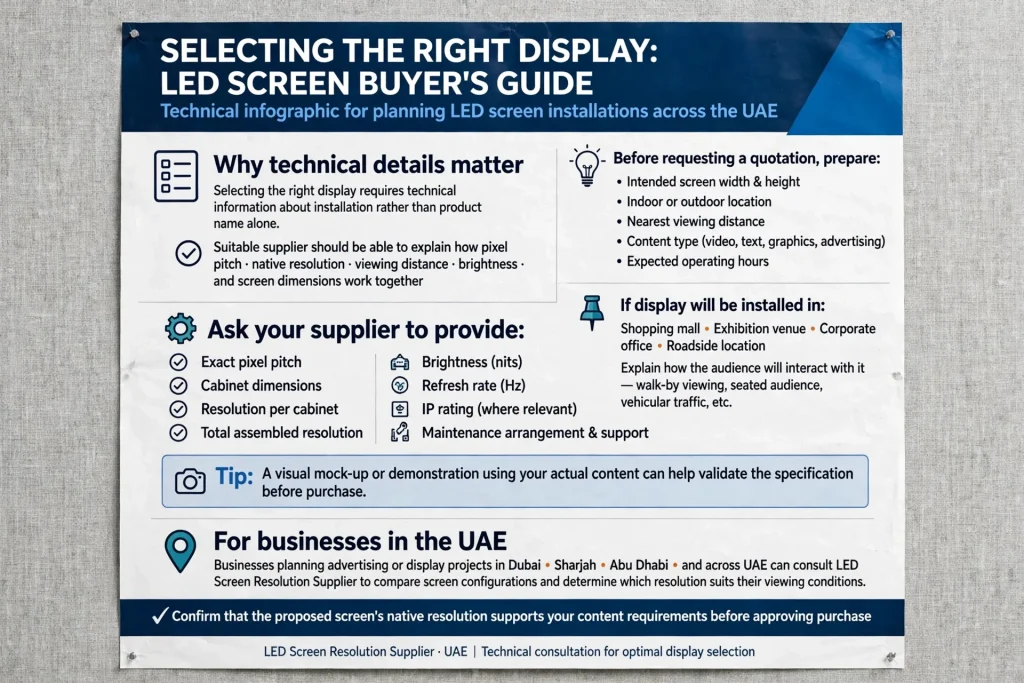
Selecting the right display requires technical information about the installation rather than a product name alone. A suitable supplier should be able to explain how pixel pitch, native resolution, viewing distance, brightness and screen dimensions work together.
Before requesting a quotation, prepare the intended screen width and height, indoor or outdoor location, nearest viewing distance, content type and expected operating hours. If the display will be installed in a shopping mall, exhibition venue, corporate office or roadside location, explain how the audience will interact with it.
Ask the supplier to provide the exact pixel pitch, cabinet dimensions, resolution per cabinet, total assembled resolution, brightness, refresh rate, IP rating where relevant and maintenance arrangement. A visual mock-up or demonstration using actual content can help validate the specification.
Businesses planning advertising or display projects in Dubai, Sharjah, Abu Dhabi and across the UAE can consult a LED Screen Resolution Supplier to compare screen configurations and determine which resolution suits their viewing conditions. Confirm that the proposed screen’s native resolution supports the content requirements before approving the purchase.
Common Mistakes When Selecting LED Screen Resolution
One common mistake is choosing the smallest pixel pitch without considering the budget or viewing distance. Fine-pitch LED displays can improve close-view detail, but the additional investment may not be justified for a billboard viewed from far away.
Another mistake is comparing screens based only on physical size. Two screens of identical dimensions may have very different native resolutions because their pixel pitches differ. Buyers should compare the assembled resolution, not just the cabinet dimensions.
A third mistake is assuming that a high-resolution display will automatically make every video look sharp. Low-quality source footage, incorrect scaling, poor calibration and inappropriate content dimensions can reduce image quality even on a premium screen.
It is also important not to ignore brightness and environmental suitability. A display with excellent pixel density may still perform poorly outdoors if it is not bright enough or lacks the required weather protection. The best screen balances resolution, pixel pitch, viewing distance, brightness, reliability and total project cost.
Conclusion
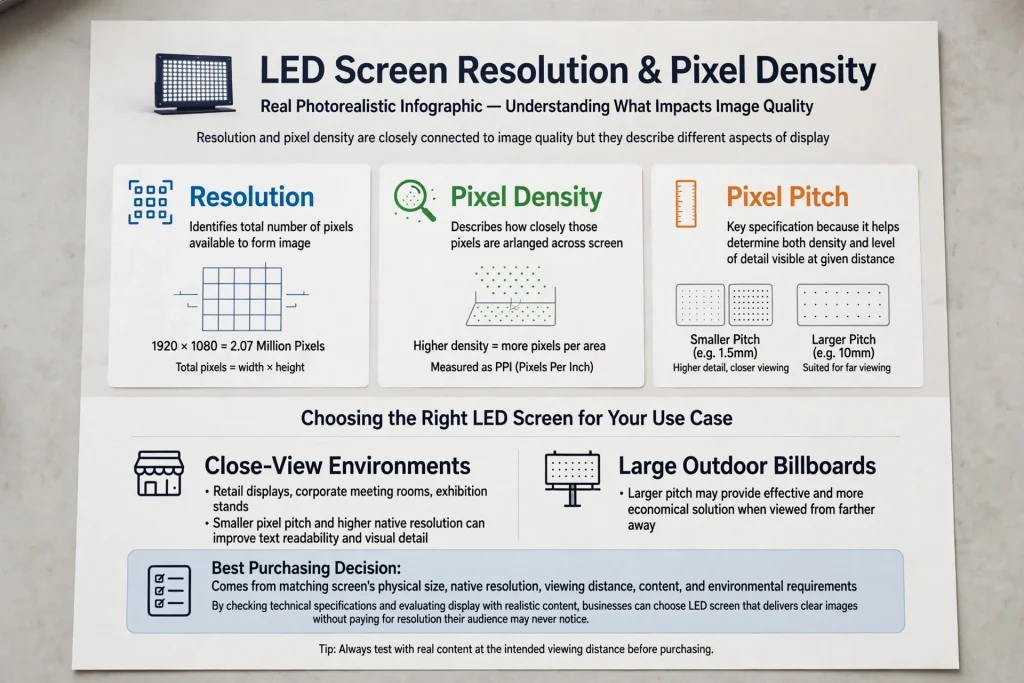
LED screen resolution and pixel density are closely connected to image quality, but they describe different aspects of the display. Resolution identifies the total number of pixels available to form an image, while pixel density describes how closely those pixels are arranged across the screen. Pixel pitch is a key specification because it helps determine both density and the level of detail visible at a given distance.
For close-view retail displays, corporate meeting rooms and exhibition stands, smaller pixel pitch and higher native resolution can improve text readability and visual detail. For large outdoor billboards, a larger pitch may provide an effective and more economical solution when viewed from farther away.
The best purchasing decision comes from matching the screen’s physical size, native resolution, viewing distance, content and environmental requirements. By checking technical specifications and evaluating the display with realistic content, businesses can choose an LED screen that delivers clear images without paying for resolution their audience may never notice.
Frequently Asked Questions
What is the difference between LED screen resolution and pixel density?
Resolution is the total number of pixels across the width and height of a display. Pixel density describes how closely those pixels are packed into a physical area. A screen can have a high total resolution because it is large, while its pixel density remains relatively low.
Does a smaller LED pixel pitch mean better image quality?
A smaller pixel pitch generally allows more detail to be displayed at close viewing distances. However, brightness, contrast, calibration, refresh rate, processing and source content also affect image quality. The correct pitch depends on how far away the audience will stand.
What pixel pitch is best for an LED screen?
There is no single best pixel pitch for every application. Fine-pitch options such as 1.5–2.5 mm can suit some close-view indoor displays, while larger pitches such as 3.9 mm or above may suit larger screens viewed from farther away. The correct specification depends on viewing distance, screen size, content and budget.
How do I calculate LED screen resolution?
Estimate the number of horizontal and vertical pixels by dividing the screen’s physical width and height by the pixel pitch, using consistent units. Because modular LED cabinets have fixed pixel dimensions, verify the final resolution against the manufacturer’s cabinet specifications and the number of cabinets in the assembled wall.
Is 4K resolution always better for an LED wall?
Not necessarily. The value of 4K depends on the screen’s physical size, viewing distance, source content and processor configuration. A smaller screen or a display viewed from far away may not provide a noticeable benefit from 4K input compared with a suitable lower-resolution configuration.
What affects LED screen image quality besides resolution?
Image quality also depends on pixel pitch, brightness, contrast, colour accuracy, refresh rate, viewing angle, calibration, processing and the quality of the source content. Outdoor installations must also account for ambient sunlight and environmental protection.
What should I ask an LED screen supplier before purchasing?
Ask for the pixel pitch, native resolution, cabinet dimensions, total screen resolution, brightness, refresh rate, viewing-distance recommendation, environmental rating, warranty and maintenance details. Request a proposed configuration based on your actual screen dimensions and viewing conditions.