Digital touch screens have transformed the way businesses communicate with customers, employees, visitors, and students. Instead of simply displaying information, interactive screens allow users to touch, search, select, navigate, compare, order, register, learn, and interact with digital content.
From retail stores and shopping malls to hotels, hospitals, schools, corporate offices, banks, museums, exhibitions, and government facilities, touchscreen technology is becoming an important part of modern customer experience and digital communication.
In the UAE, where businesses compete heavily on customer experience and technological innovation, interactive displays can provide practical advantages beyond visual advertising. Modern solutions can combine high-resolution displays, touch interfaces, content management systems, cloud connectivity, wayfinding, self-service applications, payment integration, and real-time information.
What Are Digital Touch Screens?
Digital touch screens are electronic displays that allow users to interact directly with visual content through touch.
Unlike conventional digital signage, which primarily communicates information to an audience, an interactive display creates a two-way experience. Users can tap buttons, swipe between pages, zoom into maps, select products, submit information, browse menus, or access services.
Modern touchscreen systems commonly use technologies such as projected capacitive touch (PCAP), infrared touch, LCD panels, LED displays, Android operating systems, Windows platforms, and specialized interactive software.
The right technology depends on the environment, screen size, number of users, viewing distance, operating hours, and intended application.

Why Businesses Are Adopting Interactive Displays
Traditional printed signs are static. Updating them can require printing, transportation, installation, and replacement.
Digital touch screens provide a more flexible communication platform.
Businesses can update:
Product information, promotions, menus, maps, announcements, advertisements, directions, pricing, service information, and multimedia content.
Interactive systems can also collect user input.
For example, a customer visiting a shopping centre could use a touchscreen directory to locate a store, identify the nearest entrance, view promotions, or receive directions.
This combination of information and interaction makes digital displays valuable for customer-facing environments.
Digital Touch Screens vs Traditional Digital Signage
Digital signage generally displays content to an audience without requiring interaction.
Interactive touch displays add a user interface.
This difference creates additional applications such as:
Self-service, product configuration, interactive catalogues, digital wayfinding, appointment booking, surveys, check-in, ticketing, education, and information kiosks.
The choice between standard digital signage and touchscreen technology should depend on the user’s journey.
If customers only need to see a promotion, a conventional display may be sufficient.
If they need to search, compare, select, or complete an action, an interactive system can be more appropriate.
Interactive Touch Screen Kiosks
Touchscreen kiosks are among the most recognizable applications of interactive display technology.
A kiosk typically combines:
Touchscreen display, enclosure, computer or media player, operating system, connectivity, application software, optional printer, scanner, payment hardware, and accessibility features.
Kiosks can be freestanding, wall-mounted, countertop, portrait, landscape, or custom-built.
They can be designed for indoor environments or engineered for specific outdoor applications.
Modern digital kiosk solutions are used for self-service, information access, visitor management, navigation, product browsing, and customer engagement.

Digital Wayfinding Solutions
Large buildings can be difficult to navigate.
Hospitals, universities, shopping malls, airports, hotels, government buildings, and corporate campuses often contain multiple floors, entrances, departments, and facilities.
Interactive wayfinding screens allow visitors to search for destinations and receive visual directions.
A sophisticated wayfinding system can display:
Interactive maps, floor plans, room numbers, elevators, parking areas, restaurants, retail stores, emergency exits, restrooms, and accessibility routes.
Wayfinding can therefore reduce confusion and improve the visitor experience.
Digital Touch Screens for Retail
Retail is one of the strongest applications for interactive technology.
A touchscreen can become an extension of the physical store.
Customers can use displays to:
Browse products, check specifications, compare models, explore colours, view unavailable sizes, access product videos, locate products, and request assistance.
This is especially useful where the physical store cannot display the entire product catalogue.
An interactive display can effectively create a digital extension of the available inventory.
Interactive Product Catalogues
Product catalogues can be transformed into interactive experiences.
Instead of handing customers a printed brochure, businesses can provide a touchscreen interface containing:
Product images, specifications, dimensions, colours, technical information, videos, pricing, availability, accessories, and related products.
Users can navigate according to their interests.
For manufacturers, furniture retailers, automotive showrooms, electronics stores, interior design companies, and building-material suppliers, this can make product discovery more engaging.

Digital Touch Screens for Hotels
Hospitality businesses can use interactive displays throughout the guest journey.
Applications include:
Hotel directories, digital concierge services, restaurant information, event schedules, spa bookings, facility maps, room-service information, check-in assistance, and local recommendations.
A touchscreen in a hotel lobby can provide information without requiring staff to answer every routine question.
This does not necessarily replace human service. Instead, it can allow employees to focus on higher-value guest interactions.
Interactive Displays in Restaurants
Restaurants and cafés can use touchscreen systems for:
Digital menus, self-ordering, menu customization, allergen information, promotional content, loyalty programmes, and payment workflows.
Interactive menus can display food photography and detailed descriptions.
Customers can explore ingredients, portion options, add-ons, and combinations before submitting an order.
Digital menu systems can also be updated without replacing printed materials.
Touchscreen Technology in Healthcare
Healthcare facilities can benefit from interactive displays for both communication and navigation.
Applications include:
Hospital wayfinding, department directories, appointment information, queue management, patient education, check-in, visitor information, and health awareness content.
Hospitals and clinics need particularly careful interface design.
Information should be clear, accessible, multilingual where required, and easy to navigate.
The physical design should also support cleaning and hygiene requirements.

Interactive Displays for Education
Interactive displays have become an important technology in modern classrooms and training environments.
Teachers and trainers can use them for:
Presentations, digital whiteboarding, annotation, diagrams, videos, interactive exercises, remote collaboration, and multimedia learning.
Interactive classroom displays can connect with computers, tablets, wireless presentation systems, and cloud applications.
This allows students to participate directly rather than simply viewing information.
Corporate Interactive Displays
Corporate offices can use interactive screens for collaboration and communication.
Common applications include:
Meeting-room displays, interactive whiteboards, presentation systems, visitor information, employee communication, room scheduling, dashboards, and training.
Modern interactive displays can support wireless screen sharing, annotation, video conferencing, and collaborative work.
This is particularly useful for hybrid teams where participants may be located in different offices or countries.
Interactive Touch Screens for Exhibitions
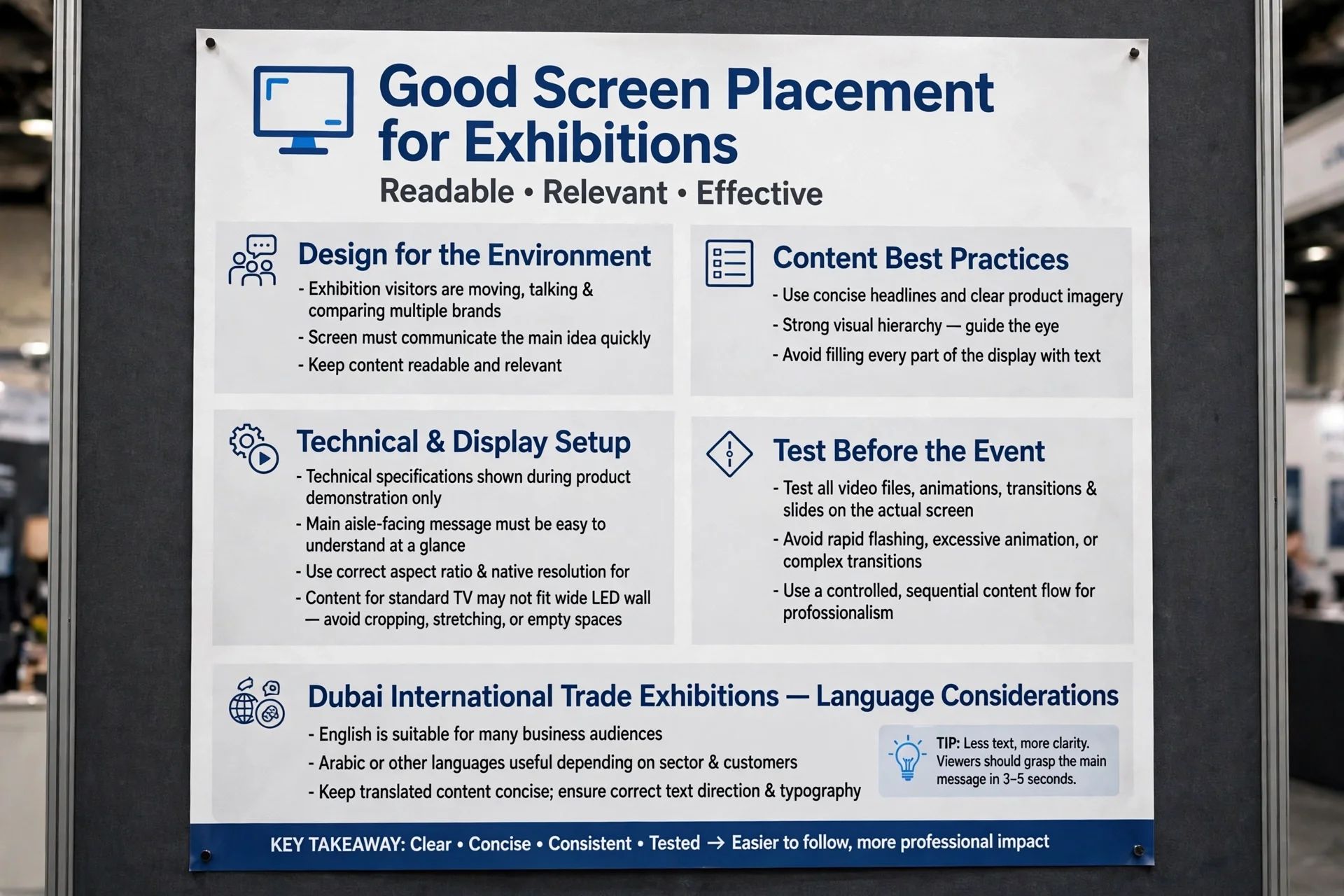
Exhibitions and trade shows require technology that attracts attention quickly.
Interactive screens can allow visitors to explore:
Product demonstrations, company information, project portfolios, 3D models, videos, technical specifications, interactive presentations, and lead-generation forms.
A touchscreen can encourage visitors to spend more time at a booth.
Instead of passively watching a video, visitors can choose what they want to explore.

Museums and Cultural Attractions
Museums can use interactive displays to provide additional context around exhibits.
A visitor could select an artifact and access:
Historical information, photographs, timelines, maps, videos, audio, translations, or related exhibits.
Interactive technology can also make exhibitions more accessible to international visitors by supporting multiple languages.
For cultural destinations in Dubai and Abu Dhabi, this can complement the region’s focus on tourism, technology, and visitor experience.
Digital Touch Screens for Government Services
Government and public-service environments can use interactive kiosks for information and self-service.
Potential applications include:
Service directories, digital forms, appointment systems, queue management, public information, navigation, and document guidance.
The interface should be designed for accessibility and different levels of digital literacy.
Multilingual functionality can also be valuable in the UAE’s diverse population.
Choosing the Right Touchscreen Technology
Not every touchscreen is suitable for every project.
Important factors include:
Screen size, resolution, brightness, touch technology, operating system, processor, connectivity, viewing distance, mounting method, operating hours, and environmental conditions.
For example, a small countertop screen may be appropriate for a reception desk, while a large interactive display may be required for a showroom or public information centre.
The physical environment should be considered before selecting the hardware.

PCAP Touch Technology
Projected capacitive touch technology is widely used in modern interactive displays.
PCAP systems detect touch through changes in an electrical field.
Advantages can include:
Responsive interaction, multi-touch capability, smooth glass surfaces, and a familiar smartphone-like experience.
PCAP is particularly suitable for controlled indoor environments such as retail, corporate, hospitality, education, and exhibition spaces.
Infrared Touch Technology
Infrared touchscreens use a grid of infrared beams around the display area to detect touch.
This technology can support large interactive surfaces and certain commercial applications.
Selection should consider:
Screen size, environmental conditions, touch accuracy, intended users, durability, and maintenance requirements.
The technology should be selected according to the application rather than simply choosing the newest specification.
Screen Size and Viewing Distance
Screen size affects usability.
A display positioned close to a user can be relatively compact.
A screen intended for public viewing or group interaction needs to be larger.
Businesses should consider:
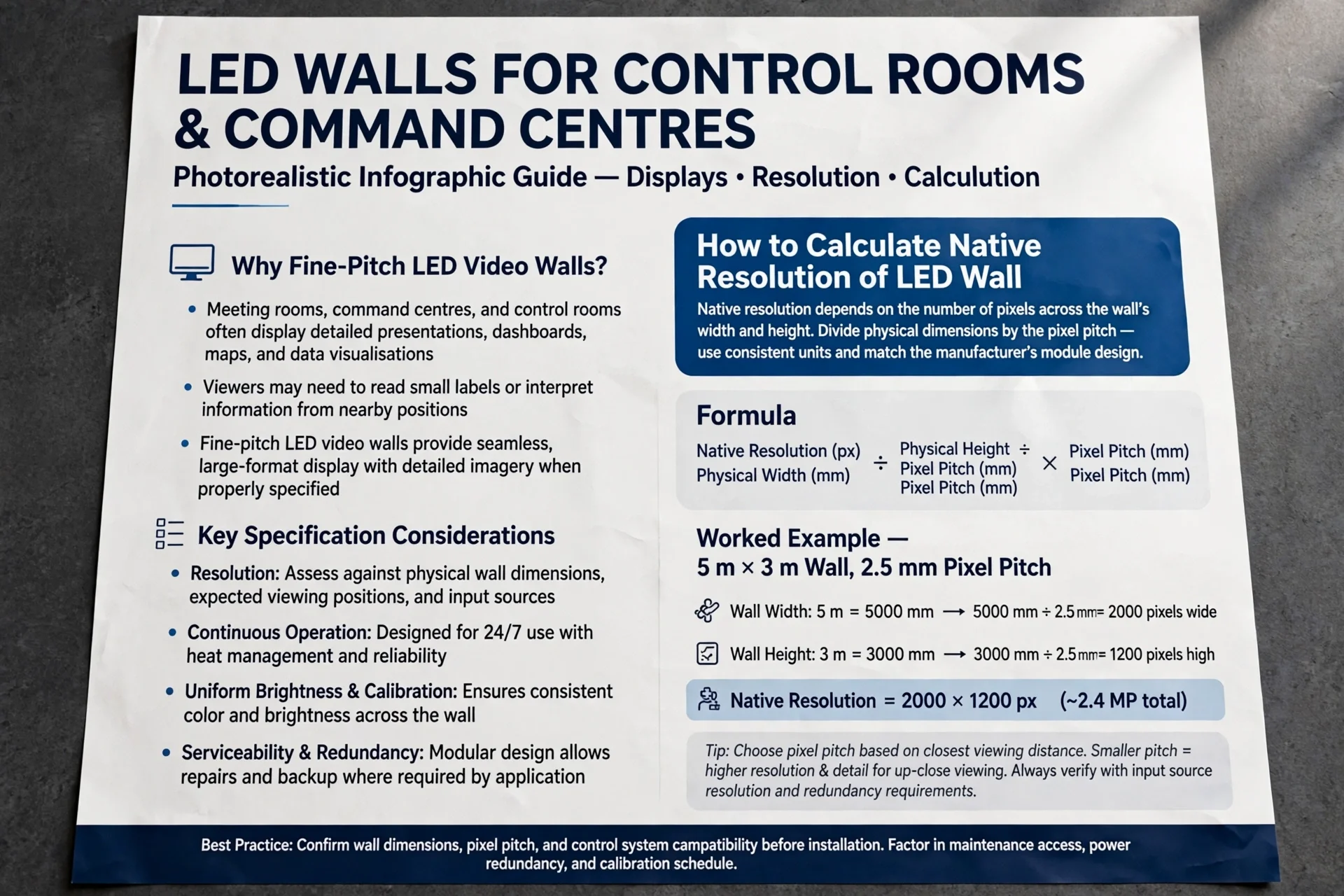
Viewing distance, number of simultaneous users, mounting height, available wall space, content layout, and accessibility.
For interactive kiosks, screen height and angle are particularly important because users need comfortable access to the touch interface.

Brightness and Ambient Light
Display brightness is critical in commercial environments.
Indoor screens generally operate under controlled lighting conditions.
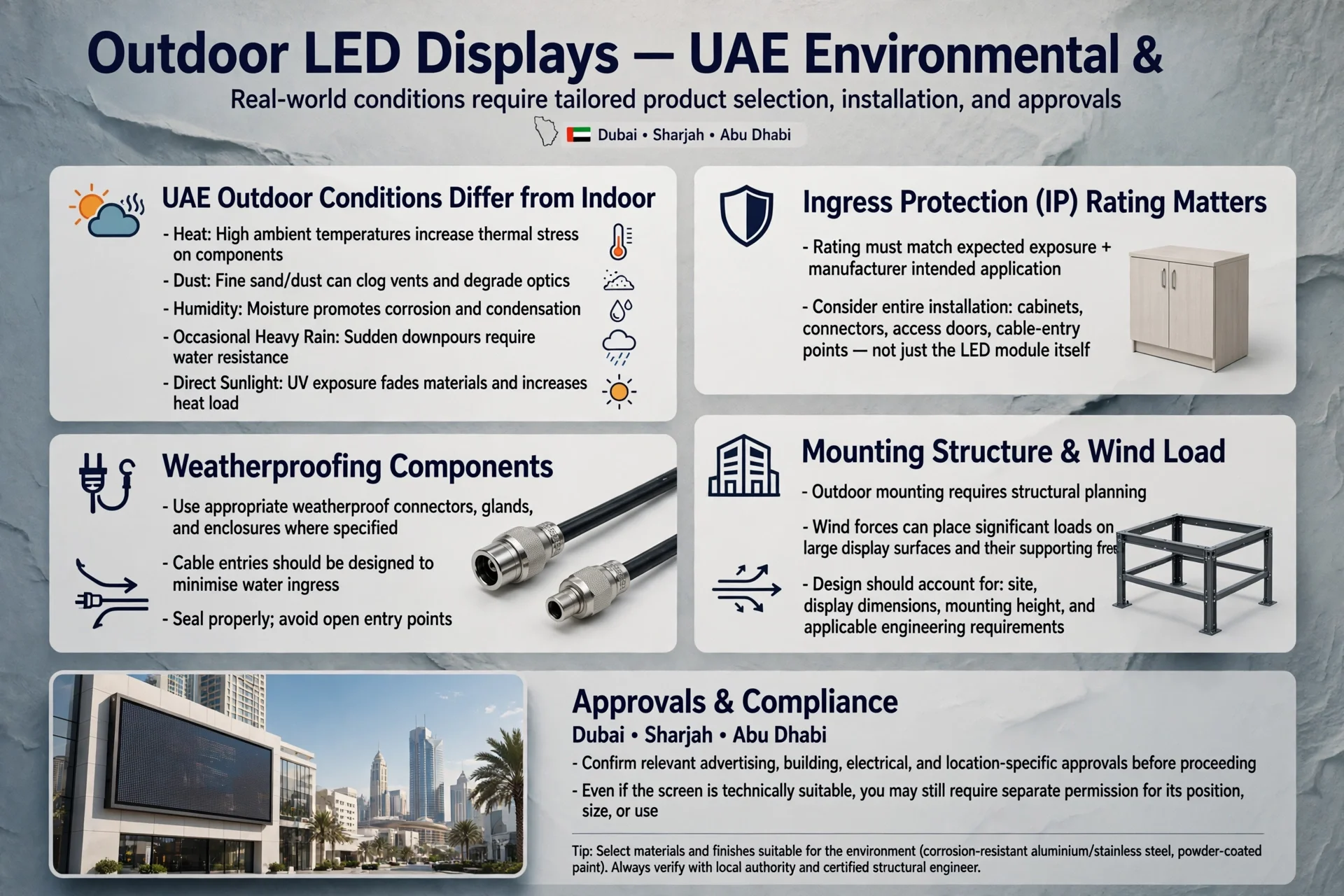
Outdoor displays or locations exposed to strong sunlight require substantially different specifications.
In the UAE, designers must consider intense sunlight and high ambient temperatures.
Outdoor systems may require:
High-brightness displays, anti-glare glass, weather-resistant enclosures, thermal management, and appropriate IP protection.
Outdoor digital signage providers in the UAE commonly specify high-brightness and weather-resistant systems for demanding environments.
Interactive Display Software
Hardware is only one part of an interactive system.
Software controls the user experience.
A digital touchscreen application may include:
Menus, navigation, animations, product databases, maps, search functionality, forms, videos, APIs, payment systems, analytics, and content management tools.
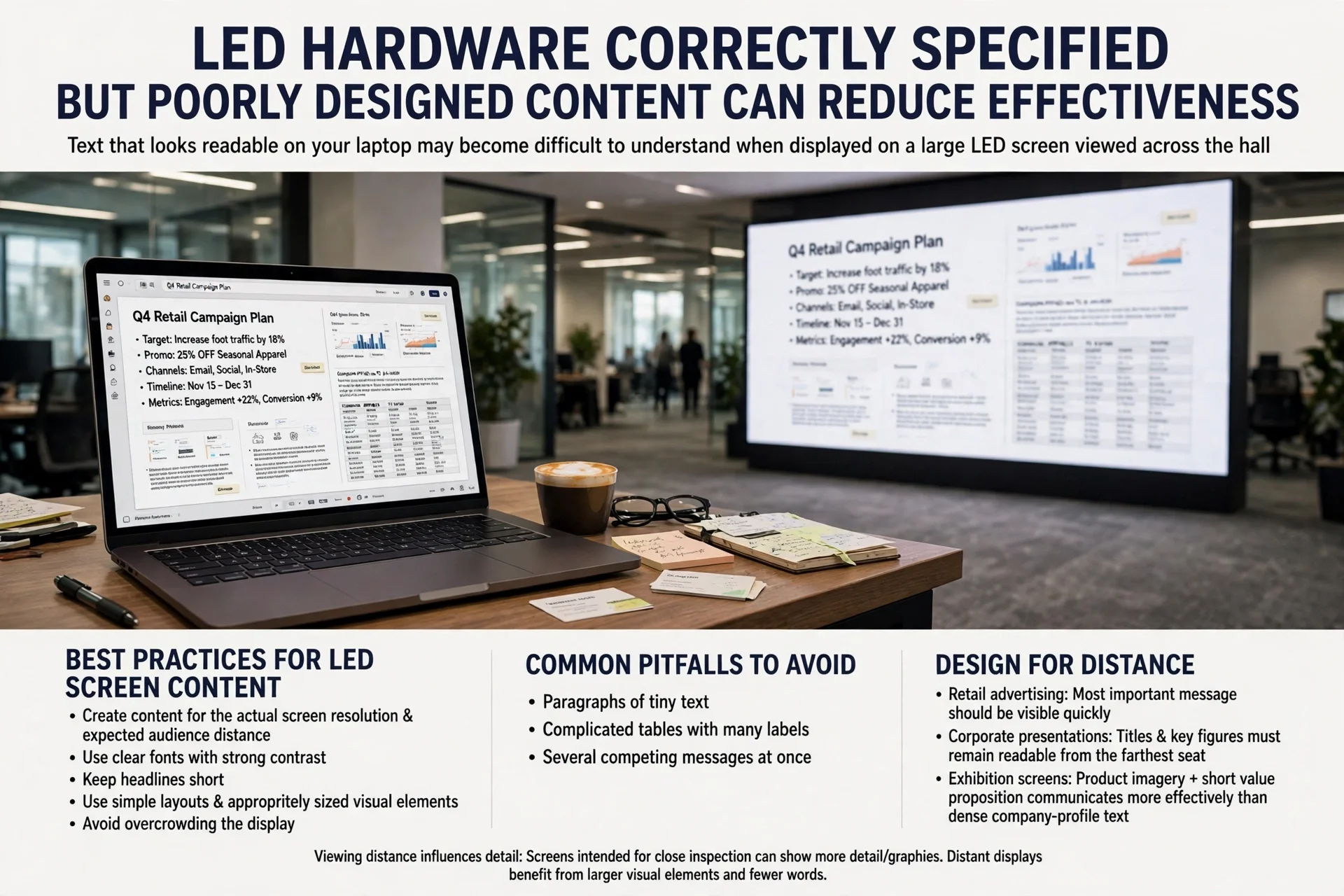
A well-designed interface should be simple enough for first-time users.
Users should understand where to tap without needing instructions.
Content Management Systems
A content management system (CMS) allows administrators to update digital content.
Depending on the platform, operators can:
Schedule content, update information, manage multiple displays, publish campaigns, monitor devices, and control content remotely.
Cloud-based management can be especially useful for businesses operating multiple branches.
A central team can manage screens across Dubai, Abu Dhabi, Sharjah, and other locations without physically visiting every site.

Touchscreen Integration
The strongest interactive projects often integrate the display with other business systems.
Possible integrations include:
CRM platforms, inventory databases, payment gateways, booking systems, visitor-management software, queue systems, APIs, ERP platforms, and customer loyalty systems.
For example, a retail touchscreen could connect to inventory information and show whether a product is available in a specific branch.
This transforms the screen from a simple display into an operational business tool.
Accessibility in Interactive Display Design
Accessibility should be considered from the beginning.
A touchscreen interface may need:
Readable typography, sufficient contrast, intuitive navigation, appropriate button sizes, multilingual support, wheelchair-accessible positioning, audio assistance, and clear instructions.
Accessibility is particularly important in hospitals, government facilities, educational institutions, transportation hubs, and public buildings.
Security and Data Protection
Connected touchscreen systems can process sensitive information depending on the application.
Businesses should therefore consider:
User authentication, secure network connections, software updates, device management, access permissions, data encryption, and physical security.
Public kiosks should also be configured to prevent users from accessing system settings or unrelated applications.
Security requirements should be determined according to the information and services being handled.
Maintenance of Touchscreen Displays
Regular maintenance helps protect the performance and appearance of interactive displays.

Maintenance may include:
Screen cleaning, software updates, hardware inspection, cable checks, ventilation inspection, network monitoring, touchscreen calibration, and replacement of damaged components.
Commercial displays operating for long periods may require professional monitoring and preventive maintenance.
For large deployments, remote device monitoring can help identify problems before users encounter them.
Digital Touch Screens in Dubai
Dubai is particularly suited to interactive display technology because of its strong retail, hospitality, tourism, real estate, corporate, healthcare, and entertainment sectors.
Applications can be found in areas such as:
Downtown Dubai, Dubai Marina, Business Bay, Jumeirah, Dubai Hills Estate, Dubai International Financial Centre, Dubai Internet City, Dubai Mall, and major hospitality destinations.
Shopping centres can use interactive wayfinding.
Hotels can deploy digital concierge systems.
Corporate offices can use interactive collaboration displays.
Retailers can use product discovery screens.
The technology therefore serves a wide range of commercial requirements.
Interactive Displays in Abu Dhabi
Abu Dhabi also offers significant opportunities for interactive digital technology.
Government facilities, healthcare centres, museums, hotels, shopping destinations, educational institutions, and corporate offices can use touchscreen systems for information and customer interaction.
Locations such as Abu Dhabi city centre, Al Maryah Island, Yas Island, Saadiyat Island, and major commercial developments can benefit from interactive visitor experiences.
Digital Touch Screens for Smart Buildings
Interactive displays can also become part of smart-building ecosystems.

A building touchscreen could provide:
Room availability, meeting schedules, indoor navigation, environmental information, visitor instructions, building announcements, emergency information, and facility services.
When integrated with building management systems, digital displays can provide users with relevant real-time information.
This creates a connection between the physical building and its digital infrastructure.
Benefits of Working With a Professional Provider
Installing a touchscreen is not simply a matter of mounting a monitor on a wall.
A professional solution requires coordination between:
Hardware, software, networking, mounting, electrical systems, content, user experience, integration, testing, and ongoing support.
A specialist provider can evaluate the environment and recommend an appropriate solution based on the project’s objectives.
Professional integrators in Dubai commonly provide services ranging from consultation and display selection to installation, integration, content management, and support.
How to Select a Digital Touchscreen Provider
When evaluating a provider, businesses should consider:
Technical expertise, product quality, installation capability, software integration, customization, warranty, maintenance, response times, and previous project experience.
The provider should understand both the display hardware and the business application.
For a large deployment, it is also useful to determine whether the company can support multiple locations and provide centralized management.
Future of Interactive Touchscreen Technology
Interactive displays are evolving beyond simple touch interfaces.
Future systems are increasingly combining:
Artificial intelligence, computer vision, voice interaction, analytics, cloud platforms, IoT connectivity, personalization, augmented reality, and automated content management.
AI-powered systems could potentially recognize user intent and provide more relevant information.
Interactive wayfinding may become more personalized.
Retail screens could connect with inventory and recommendation systems.
Hospitality displays could provide contextual guest services.
The overall direction is toward more intelligent and connected digital environments.

Frequently Asked Questions
What is a digital touch screen?
A digital touch screen is an electronic display that allows users to interact directly with digital content using touch gestures such as tapping, swiping, dragging, and selecting.
Where are interactive touch screens used?
They are used in retail stores, hotels, hospitals, schools, universities, offices, restaurants, shopping malls, exhibitions, museums, airports, government facilities, and public spaces.
Can touchscreen displays be used outdoors?
Yes. Outdoor systems need appropriate specifications for brightness, temperature, moisture, dust, glare, and physical protection.
Can a touchscreen connect to business software?
Yes. Interactive displays can integrate with databases, APIs, inventory systems, booking platforms, CRM systems, payment solutions, queue management systems, and other software.
Can touchscreen content be updated remotely?
Many commercial systems support centralized or cloud-based content management, allowing administrators to update and schedule content remotely.
Are touchscreens suitable for hotels?
Yes. They can support digital concierge services, wayfinding, guest information, restaurant menus, event information, check-in, and other hospitality applications.
Conclusion
Interactive touchscreen technology has evolved from a novelty into a practical business communication and service platform. The combination of high-resolution displays, responsive touch interfaces, digital signage software, cloud management, interactive applications, and system integration allows organizations to create experiences that are more useful and engaging than traditional signage.
For businesses in Dubai, Abu Dhabi, Sharjah, and across the UAE, applications range from retail product discovery and hotel concierge services to hospital wayfinding, corporate collaboration, education, exhibitions, government services, and smart-building information systems.
Choosing the right solution requires more than selecting the largest or highest-resolution screen. Businesses should consider the user journey, environment, screen technology, brightness, software, connectivity, security, accessibility, content management, installation, and long-term maintenance.
A specialist digital touch screens company can help bring these elements together into a complete interactive display solution rather than treating the screen as an isolated piece of hardware.
The most successful installations are those where technology solves a genuine business or customer-experience problem. When hardware, software, content, and user experience are properly integrated, interactive displays can improve communication, reduce friction, increase engagement, and create smarter commercial environments across the UAE.